New: VMware User Environment Manager…

New: VMware User Environment Manager Configuration Templates
New: VMware User Environment Manager…

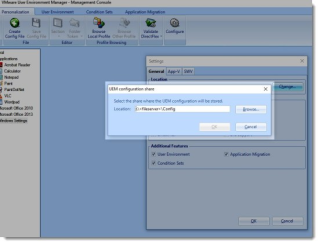
VMware has announced that they are starting to provide UEM Templates on a VMware community site. UEM Templates are basically preconfigured settings for certain apps so you don’t have to figure out which registry keys and files/folders you need to capture.


VMware Social Media Advocacy

Remove Horizon View Desktops Pools and VMs…

Remove Horizon View Desktops Pools and VMs stuck in delete state

Remove Horizon View Desktops Pools and VMs…

A while back i had to manually clean up some Horizon View (version 6.2) Desktop pools that were stuck in the delete state. Reasons for this was failed attempts to delete Horizon View VDIs even though their corresponding vCenter Server VMs were successfully deleted. Below is a print screen from the Horizon View UI showing the state of the Horizon View Desktop pools.


VMware Social Media Advocacy

Horizon Client 4.0.1 Now Available!

Horizon Client 4.0.1 Now Available!

Horizon Client 4.0.1 Now Available!

What’s New in This Release (Check out the Release Notes Here) for Mac 4.0.1 enables TLSv1.0 by default. All other new 4.x features are below: Enabling TLSv1.0 ensures that by default Horizon Client can connect to VMware Horizon Air servers. You do not need to upgrade to Horizon Client 4.0.1 unless you use Horizon Client… More Horizon Client 4.0.1 Now Available!


VMware Social Media Advocacy

Introducing VMware User Environment Manager…

Introducing VMware User Environment Manager Configuration Templates

Introducing VMware User Environment Manager…

Last week, we launched VMware User Environment Manager 9.0 (UEM), with many new features that will help deliver a truly stateless desktop and eliminate the need for point products.


VMware Social Media Advocacy

Preliminary Sizing Tests for Horizon 6 for Linux

Preliminary Sizing Tests for Horizon 6 for Linux

Preliminary Sizing Tests for Horizon 6 for Linux

In response to a growing demand in China for small-scale Linux VDI implementations, our End-User-Computing Technical-Marketing Center of Excellence team in Beijing ran a series of tests, as documented by Judy Wu in our new VMware Horizon 6 for Linux: Preliminary Sizing Tests white paper.


VMware Social Media Advocacy

What’s new in VMware User Environment Manager 9.0

What’s new in VMware User Environment Manager 9.0

What’s new in VMware User Environment Manager 9.0

Earlier this month VMware released a new version of User Environment Manager that brings some new and exciting features, not only to User Environment Manager, but also to the Horizon Suite. To learn about the new features in Horizon 7 you can see my blog here. Here, I would like to highlight the new main features of VMware User Environment Manager 9.0


VMware Social Media Advocacy

VMware provided Horizon View 7 Admin UI

VMware provided Horizon View 7 Admin UI

VMware provided Horizon View 7 Admin UI

VMware has a packaged Admin UI for Horizon View 7 that provides administration capability without requiring the installation of Adobe Flash. The Admin UI works like a thinapp package and supports View administration only, no external browsing. There are a few known issues described with workarounds along with the download link in VMware KB 2144303.


VMware Social Media Advocacy

What’s New with VMware Horizon 7

What’s New with VMware Horizon 7

What’s New with VMware Horizon 7

Today, we announced the general availability of VMware Horizon 7. Horizon 7 reinvents desktop and application virtualization with a single platform, purpose-built for the mobile-cloud era. Drawing on the best of mobile and cloud, Horizon 7 radically transforms traditional VDI, giving you unprecedented simplicity, flexibility, speed and scale—all at lower costs.


VMware Social Media Advocacy

Understanding VMware Virtual Desktop Pools –…

Understanding VMware Virtual Desktop Pools – Horizon View 6

Understanding VMware Virtual Desktop Pools –…

VMware View Virtual desktop pools is a collection of desktops that users select when they log in using the View client. A pool can be created based on a subset of users, such as finance or HR, but this is not explicitly required unless you will be deploying multiple Virtual Desktop master images.


VMware Social Media Advocacy

VMware Horizon 7 – Installation Overview – The…

VMware Horizon 7 – Installation Overview (via The Virtualist)

VMware Horizon 7 – Installation Overview – The…

It was more than a month waiting for general availability of VMware Horizon 7. What is new in the new suite you can find here. I’m not going through all details in the installation and configuration, but I will try to highlight the new features.


VMware Social Media Advocacy

Network Ports Diagram Updated for Horizon 7

Network Ports Diagram Updated for Horizon 7

Network Ports Diagram Updated for Horizon 7

The Network Ports Diagram has been updated for Horizon 7. The diagram gives you a lot of vital information in one page. It now includes the Horizon Agent (renamed from View Agent), the App Volumes Agent, the new Enrollment Server for True SSO, and VMware vRealize Operations for Horizon. Access Point holds a place alongside View Security Server. RDSH virtual desktops include Windows, Linux, and RDSH desktops. Horizon for Linux uses the Blast Extreme protocol. The placement of other these and…Read More


VMware Social Media Advocacy

How to Report on VMware Horizon Sessions and…

How to Report on VMware Horizon Sessions and Usage without the Enterprise Edition (free)

How to Report on VMware Horizon Sessions and…

If you have VMware Horizon Enterprise Edition with VMware vRealize Operations for Horizon, you can already monitor and report sessions and usage and a lot more. If you however have Horizon View Standard Edition or Horizon Advanced Edition you can’t since this does not contain vRealize Operations for Horizon. Well, good news you can use this VMware Fling to help -free.


VMware Social Media Advocacy

What’s New with VMware Horizon 7

New release: What’s New with VMware Horizon 7?

What’s New with VMware Horizon 7

Today, we announced the general availability of VMware Horizon 7. Horizon 7 reinvents desktop and application virtualization with a single platform, purpose-built for the mobile-cloud era. Drawing on the best of mobile and cloud, Horizon 7 radically transforms traditional VDI, giving you unprecedented simplicity, flexibility, speed and scale—all at lower costs.


VMware Advocacy

Introducing True SSO (Single Sign-On) in VMware…

Introducing True SSO (Single Sign-On) in VMware Horizon 7

Introducing True SSO (Single Sign-On) in VMware…

True SSO is a new feature in Horizon 7 which integrates with VMware Identity Manager. With True SSO, the login experience is free of the requirement for complex AD credentials. With True SSO, a user can log into Identity Manager using any non-AD method and once authenticated, the user is able to launch any entitled desktop or app without being prompted for a password again. True SSO uses SAML to send the User Principal Name to the identity provider’s authentication system to access AD…Read More


VMware Advocacy

Using the VMware App Volumes snapvol.cfg File…

Using the VMware App Volumes snapvol.cfg File to Customize Writable Volumes

Using the VMware App Volumes snapvol.cfg File…

The snapvol.cfg configuration is a file located in the root folder of each individual writable volume. This file contains information such as what should and should not be captured on the writable volume for a user-installed application or user data. This configuration file allows writable volumes to be customized to suit business needs, providing granular control and improving the end user experience. The post Using the VMware App Volumes snapvol.cfg File to Customize Writable Volumes…Read More


VMware Advocacy

Everything you want to know about Instant Clone…

Everything you want to know about Instant Clone Technology for just-in-time desktops: https://t.co/pkVnjpWJYW https://t.co/fNZKEQjgXf

Everything you want to know about Instant Clone…

Everything you want to know about Instant Clone Technology for just-in-time desktops: https://t.co/pkVnjpWJYW https://t.co/fNZKEQjgXf


VMware Advocacy

Implementing a VMware Virtual Desktop…

Implementing a VMware Virtual Desktop Infrastructure with Horizon View 6.2 – Part 5: Pool configuration

Implementing a VMware Virtual Desktop…

So far in the series we have installed the VMware View Connections Servers and Composer, and built two RDSH servers, all in preparation for deploying our virtual desktops. In this part I show how to configure the desktop pools to provision full desktops, linked clones, and applications to remote users. Other posts in this series: Design […]


VMware Advocacy

GPGPU Computing with the nVidia K80 on VMware…

GPGPU Computing with the nVidia K80 on VMware vSphere 6

GPGPU Computing with the nVidia K80 on VMware…

As customer interest in running HPC workloads on vSphere continues to increase, I’ve been receiving more questions about whether compute accelerators like the nVidia K80 or Intel Xeon Phi can be used with vSphere VMs. The answer is that while VMware supports the VM Direct Path I/O feature (i.e., passthrough mode) that allows PCI […] The post GPGPU Computing with the nVidia K80 on VMware vSphere 6 appeared first on VMware | CTO Blog .


VMware Advocacy