vSphere 6 Training and Certification

#vSphere 6 Training and Certification

vSphere 6 Training and Certification

VMware vSphere is the foundation of the Software-Defined Data Center. The new vSphere 6 extends your ability to virtualize scale-up and scale-out applications, redefine availability, and simplify your virtual data center. Gain more value from your investment with vSphere 6 training from VMware Education Services.


VMware Social Media Advocacy

EMC Unity With Native Virtual Volumes Support

EMC Unity With Native Virtual Volumes Support (via Virtual Blocks)

EMC Unity With Native Virtual Volumes Support

One of the major announcements at EMC World this year was the release of Unity, a new midrange All-flash storage array from EMC. I was particularly pleased to see this release as a key design goal for Unity was to deliver native support for vSphere Virtual Volumes and Storage Policy-Based Management. The certification for EMC Unity for both block and file across both All-flash and Hybrid configurations has been completed and is available on the updated VMware Virtual Volumes compatibility guide.


VMware Social Media Advocacy

Delivering a Transformational User Experience…

Delivering a Transformational User Experience with NVIDIA GRID & #VMware Horizon 7

Delivering a Transformational User Experience…

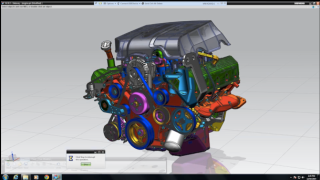
Workstations are the way work gets done in many industries around the world, such as aerospace, automotive, space exploration, oil and gas. Engineers and designers have traditionally relied on dedicated graphics workstations to perform the most demanding tasks, such as manipulating 3D models and visually analyzing large data sets. Standalone workstations are anchored to brick-and-mortar facilities. These workstations also carried high acquisition and maintenance costs, requiring the user to be present in the lab or office.


VMware Social Media Advocacy

How to publish Root CA into the trusted store…

How to publish Root CA into the trusted store in #VMware Endpoint Certificate Store?

How to publish Root CA into the trusted store…

Recently during preparing a new vSphere environment based on 6.0 U2 version and replacing certificates I got some problems and found the following error in certificate-manager.log:


VMware Social Media Advocacy

VDP Backup With External Proxy

VDP Backup With External Proxy (via virtuallypeculiar.com)

VDP Backup With External Proxy

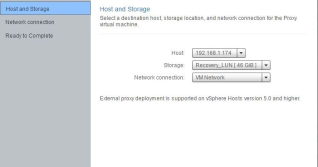
So in the previous article we saw the types of backup protocol used by VDP. We saw that when the ESXi host which is hosting the VDP appliance does not have the access to the datastore of the VM it is backing up, then the backup protocol used is Network Block Device (NBD). One way to avoid NBD is to bring the VM on to a storage which is seen by the ESXi host hosting the VDP appliance. The other method is to deploy an external proxy for the VDP appliance onto the host which is hosting the client that needs to be backed up. Please note, that once you deploy external proxy, the internal proxy will be disabled automatically.


VMware Social Media Advocacy

VMware’s Disruptive Innovations

#VMware’s Disruptive Innovations

VMware’s Disruptive Innovations

Disruptive innovation, is a term coined by Clayton Christensen. The term describes a process by which a product or service takes root initially in simple applications at the bottom of a market and then relentlessly moves up market, eventually displacing established competitors.


VMware Social Media Advocacy

vSphere Replication Testing/Upgrading #vSphere…

vSphere Replication Testing/Upgrading #vSphere #Replication #SRM

vSphere Replication Testing/Upgrading #vSphere…

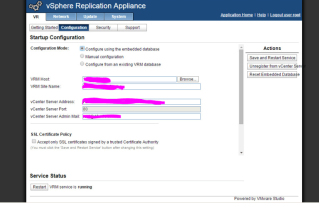
It had originally been configured under SRM using v 5.1, and it had been set up to test and never used. This was before my time, so when I arrived I was tasked with an IP migration for the whole vSphere environment (which you can see in my older posts).


VMware Social Media Advocacy

Generating vCenter Server & Platform Services…

Generating #vCenter Server & Platform Services Controller deployment topology diagrams

Generating vCenter Server & Platform Services…

A really useful capability that vCenter Server used to provide was a feature called vCenter Maps. I say “used to” because this feature was only available when using the vSphere C# Client and was not available in the vSphere Web Client. vCenter Maps provided a visual representation of your vCenter Server inventory along with the different relationships between your Virtual Machines, Hosts, Networks and Datastores. There were a variety of use cases for this feature but it was especially useful when it came to troubleshooting storage or networking connectivity. An administrator could quickly identify if they had an ESXi host that was not connected to the right datastore for example with just a few clicks.


VMware Social Media Advocacy

Load Balancing vSphere Clusters with DRS

Load Balancing #vSphere Clusters with DRS

Load Balancing vSphere Clusters with DRS

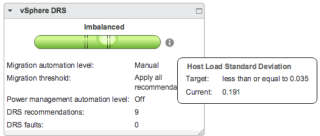
Recently, a customer reported that DRS was not working to load balance the cluster. Under normal circumstances, a minor imbalance is nothing to be concerned about. This is because the main objective for DRS is not to balance the load perfectly across every host. Rather, DRS monitors the resource demand and works to ensure that every VM is getting the resources entitled. When DRS determines that a better host exists for the VM, it make a recommendation to move that VM.


VMware Social Media Advocacy

VMware vSphere Advanced Configurations and Best…

#VMware vSphere Advanced Configurations and Best Practices (via VirtualGyaan)

VMware vSphere Advanced Configurations and Best…

This will be a series of post covering more advanced vSphere concepts in depth and different design considerations that we need to take care before the implementation. This post will be an introduction to Hardware design considerations that we must oblige too. All the hardware compatibilities are listed in VMware Compatibility Guide Tool which is best source.


VMware Social Media Advocacy

Which Blog is Your Favorite TOP vBlog 2016?

Which Blog is Your Favorite TOP vBlog 2016? (via vladan.fr)

Which Blog is Your Favorite TOP vBlog 2016?

As in previous years, Eric Siebert with vSphere-land.com is organizing a TOP vBlog voting competition and my blog, ESX Virtualization blog, is participating. I try to do a bit of everything, but staying as accurate as possible. Readers can vote and determine which virtualization blog they prefer to read through the year. Some readers might prefer deep-dive, or how-to topics only where others want to read news or watch videos.


VMware Social Media Advocacy

Query IP address (and other info) of Virtual…

Query IP address (and other info) of Virtual Machine (via networkinferno.net)

Query IP address (and other info) of Virtual…

I’ve been working on some different things lately and wanted to share with you a tool I used to help verify data. Whilst I am not ready to reveal all that I am working on I have had the requirement to return the following information about a Virtual Machine – Name, IP Address, MAC Address, Attached Network, Power State, VMtools status, and the VMtools version.


VMware Social Media Advocacy

The Network Virtualization Certification: A…

The Network Virtualization Certification: A Career-Building Essential! [Infographic]

The Network Virtualization Certification: A…

There’s no question about it: Network Virtualization is the future. As virtualization moves in to replace the hardware-centric networks of yesterday and today, the most sought after IT practitioners will be those who know Network Virtualization inside and out. Staying competitive in IT means growing your knowledge, building marketable skills, and developing virtual savvy


VMware Social Media Advocacy

Monitoring vCenter Health Remotely with…

Monitoring vCenter Health Remotely with #vRealize Operations – Part 2

Monitoring vCenter Health Remotely with…

In Part 1 of this blog, I discussed how you can monitor vCenter’s vPostgres database remotely using Blue Medora’s Management Pack for PostgreSQL. For those of you with larger environments with Oracle or MS SQL databases supporting vCenter, you’ll want to monitor those as well. In this blog I’ll step through how one can monitor a Microsoft SQL server remotely using vRealize Operations Manager. Similar steps can be taken to monitor an Oracle database remotely with Blue Medora’s Management Pack for Oracle. This includes setting up the requisite credentials on the SQL server, creating relationships to vCenter, and a custom dashboard that shows SQL performance for vCenter.


VMware Social Media Advocacy