VMware TrustPoint and AirWatch Integration Demo

VMware TrustPoint and AirWatch Integration Demo

VMware TrustPoint and AirWatch Integration Demo

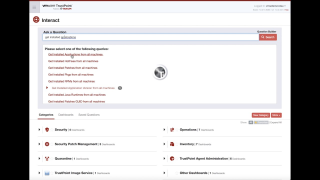
Learn how out-of-the-box integration of VMware TrustPoint and AirWatch further enhances securing and managing mobile, desktop and server environments, and dynamically drives policy configuration changes across the organization for even stronger compliance and faster threat containment.

VMware Social Media Advocacy

VMware Workspace ONE & AirWatch Enhancements…

VMware Workspace ONE & AirWatch Enhancements Expand the Digital Workspace [AirWatch Blog]

VMware Workspace ONE & AirWatch Enhancements…

New release expands AirWatch unified endpoint management cross-platform capabilities for Android, Apple and Windows 10, alongside innovative Workspace ONE enterprise security, access controls and app suite enhancements.


VMware Social Media Advocacy

Installing the Horizon View Agent on a Domain…

Installing the Horizon View Agent on a Domain Controller [virtuallyGhetto]

Installing the Horizon View Agent on a Domain…

A couple of weeks back, a fellow colleague needed to install the Horizon View Agent on a Microsoft Windows Domain Controller to be able to take advantage of the Direct Connect feature to efficiently connect into a lab environment. In general, this is not a recommended practice. In fact, by default the Horizon View Agent includes several pre-checks, one of which that prevents the installation if it detects the underlining system is a Domain Controller.


VMware Social Media Advocacy

Just-in-Time Apps with VMware Horizon 7

Just-in-Time Apps with VMware Horizon 7 [VMware EUC Blog]

Just-in-Time Apps with VMware Horizon 7

With our latest release of VMware Horizon 7, Horizon 7.1 extends just-in-time delivery of virtual desktops to include published applications delivered from Remote Desktop Session Hosts (RDSH) and powered by the Just-in-Time Management Platform, or JMP, bringing increased speed, scale, and simplicity. With Just-in-Time Apps, you dramatically simplify deployments with a tightly integrated stack, fewer components, and easy maintenance by using VMware Instant Clone Technology.


VMware Social Media Advocacy

Desktop full restore by VMware Horizon Mirage

Desktop full restore by VMware Horizon Mirage — via VMware Admin’s Blog

Desktop full restore by VMware Horizon Mirage

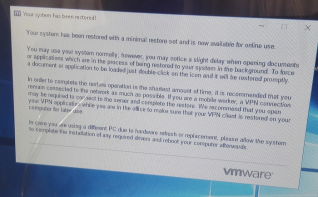
I’m part of a project where we can solve approximately 200 dekstop (PC base POS) security updates. This PCs are connecting to our company HQ by VPN over 3G connection. This is a limited size usage solution, so we have only x GB traffic in one month for whole environment. If we overuse this we will pay for our provider.


VMware Social Media Advocacy

VMware Horizon 7 – Associate Instant Clone…

VMware Horizon 7 – Associate Instant Clone Virtual Machines — via VMware Consulting Blog

VMware Horizon 7 – Associate Instant Clone…

This white paper, “VMware Horizon 7 – Associate Instant Clone Virtual Machines,” contains instructions on how to conduct day-to-day operations after implementing the design described in the VMware Horizon 6 Architecture Design document.


VMware Social Media Advocacy

EUC Toolbox: Don’t wanna be your monkey wrench,…

EUC Toolbox: Don’t wanna be your monkey wrench, use Flings — via Pascal’s Wereld

EUC Toolbox: Don’t wanna be your monkey wrench,…

To remind some of whom have had previous experience with flings, or to explain flings to newbies if there still are any, in a few words Flings are apps and tools built by VMware engineers that are intended to be played with and explored. Even more, they are cool ideas worked out in cool apps and tools. Which are not only to play with but are very useful.


VMware Social Media Advocacy

VMware’s Partner Provided – End User Computing…

VMware’s Partner Provided – End User Computing (EUC) TestDrive DEMO Environment! — via Welcome to The Virtually Connected!

VMware’s Partner Provided – End User Computing…

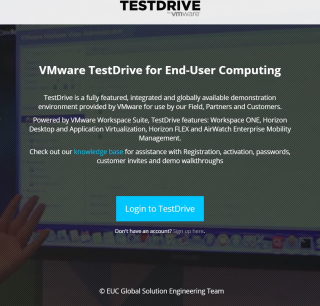
For many of VMware’s partners, they don’t have a demo environment in which they can deploy VMware’s End User Computing solutions such as Horizon 7, App Volumes, User Environment Manager (UEM), etc. This is due to not having the spare server hardware or the funds to purchase hardware just for a demo environment. As a partner, they need to be able to demo the VMware EUC based solutions to their customers to show the value as it relates to the customer’s business needs.


VMware Social Media Advocacy

Should you make the move to VDI?

Should you make the move to VDI? — via vdi.guru

Should you make the move to VDI?

The simplest approach to determine if you want to go to VDI is ifyou ensure VDI supports your company, and know your company will not complete supporting it. Basically, you have to decide if VDI might be the very best answer for the organization, and how it benefits of it.


VMware Social Media Advocacy

EUC Insights 2017 – EMEA Registration

EUC Insights 2017 – EMEA Registration

EUC Insights 2017 – EMEA Registration

The digital workspace is enabling business transformation by uniting end-users and IT to drive enhanced productivity, security and enablement. Join us at EUC Insights 2017 to discover more about the latest technology, trends and news from VMware around End-User Computing and driving the next generation digital workspace.


VMware Social Media Advocacy

EUC Layers: Display protocols and graphics -…

EUC Layers: Display protocols and graphics – the stars look very different today — via Pascal’s Wereld

EUC Layers: Display protocols and graphics -…

In my previous EUC Layer post I discussed the importance of putting insights on screens, in this post I want to discuss the EUC Layer of putting something on the screen of the end user.


VMware Social Media Advocacy

VMware: 10 Top Moments from VMware’s EUC…

VMware: 10 Top Moments from VMware’s EUC Insights 2017 Online Event — via DABCC.com

VMware: 10 Top Moments from VMware’s EUC…

Thank you to everyone who joined our popular online event, EUC Insights 2017—Americas! It was one of our most successful virtual conferences yet. And the best news? You can watch the product sessions, dive into best practices and take our Hands-On Labs at any time on demand! Just click here to get started.


VMware Social Media Advocacy

VMware makes virtual desktops faster, easier to…

VMware makes virtual desktops faster, easier to deploy and manage — via SiliconANGLE

VMware makes virtual desktops faster, easier to…

VMware Inc. is updating its Horizon virtual desktop services to reduce the cost and complexity of delivering Windows desktops over a network and improving performance for users as well.


VMware Social Media Advocacy

Horizon View API

Horizon View API — via The SLOG

Horizon View API

VMware recently added an Horizon View API as part of the PowerCLi 6.5 R1 release, which allows customers to interact with Horizon without the need for using the User Interface (UI). Amazing as this new Horizon API is, it’s not as easy as the usual PowerCLi CmdLets we are used to using and I’ve personally found information/settings difficult to find using the API.


VMware Social Media Advocacy

Protecting Horizon View – Debunking the Myth

Protecting Horizon View – Debunking the Myth — via virtualizeplanet.com

Protecting Horizon View – Debunking the Myth

This post describes some concepts and methods that could be used to backup a VMware Horizon environment and more so the VMware View components. VMware View is an enterprise solution for managing the lifecycle of virtual desktops, the applications running on those desktops and the user environment like user data and documents.


VMware Social Media Advocacy

Part 1 – VMware UEM 9.1.x Deploy n Configure

[Video] Part 1 – VMware UEM 9.1.x Deploy n Configure

Part 1 – VMware UEM 9.1.x Deploy n Configure

This is a Two Part Video Walk-through Series of VMware User Environment Manager (UEM) 9.1.x Watch this video series if you; – Want to know how to configure VMware User Environment Manager (9.1.x) as a Proof of Concept environment. – Want to understand how to configure the pre-requisites (GPO & Shared drives) and UEM components (Sync tool, Helpdesk tool, Self Service tool) – Want to know how to capture Application settings and inject them into UEM, have UEM control when a user get a specific…Read More


VMware Social Media Advocacy