Snapshot “issue” in VMware vSphere 6.0

Snapshot “issue” in VMware vSphere 6.0

Snapshot “issue” in VMware vSphere 6.0

If you have installed (or upgraded to) VMware vSphere 6.0 and you still use the old legacy vSphere client you may have some false positives about VM snapshots. All VMs seems to have some snapshots, also if they don’t (and using consolidate does not fix it, because there aren’t snapshots to be fixed). But this apper only with the Windows vSphere Client: Is a cosmetics bug rather than a real issue, but using this client you cannot understand from a first look which VM has a snapshot and which…Read More

VMware Advocacy

Breaking the VMware ESXi 5.5 ACPI boot loop on…

Breaking the #VMware ESXi 5.5 ACPI boot loop on Lenovo TD350

Breaking the VMware ESXi 5.5 ACPI boot loop on…

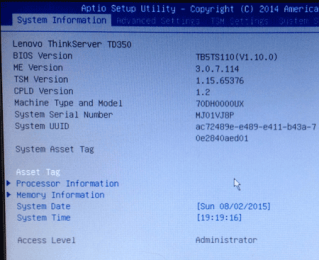
Do you have a Lenovo TD350 or for that many other servers that when trying to load or run VMware vSphere ESXi 5.5 u2 (or other versions) and run into the boot loop at the “Initializing ACPI ” point? The symptoms are that you see ESXi start its boot process, loading drivers and modules (e.g. black screen), then you see the Yellow boot screen with Timer and Scheduler initialized, and at the “Initializing ACPI ” point, ka boom, either a boot loop starts (e.g. the above processes repeats after system boots). The fix is actually pretty quick and simple, finding it took a bit of time, trial and error.


VMware Advocacy

Reducing the Impact of Backups and Restores on…

Reducing the Impact of Backups and Restores on FlashArrays

Reducing the Impact of Backups and Restores on…

One of the things that is not widely known out there about backup and restore operations is that SQL Server will typically default them to a 1 megabyte IO size. This canbe great for some environments, but it’s suboptimal for shared all-flash arrays. In this post, I’d like to show you some tests I performedsurrounding Continue Reading


VMware Advocacy

SRM with VMAX 20K Part VIII: Configuring EMC…

SRM with VMAX 20K Part VIII: Configuring EMC Virtual Storage Integrator

SRM with VMAX 20K Part VIII: Configuring EMC…

This is a very short and sweet post about implementing the EMC Virtual Storage Integrator (VSI). This is a plug-in for the vSphere client which enables further management of your specific array. There are advanced options made available for SRDF, Storage Views and Management. It is quite useful to have although I haven’t really used […] The post SRM with VMAX 20K Part VIII: Configuring EMC Virtual Storage Integrator appeared first on vRyan.co.uk – Virtualization Blog.


VMware Advocacy

Trying to Upgrade to Windows 10 on Fusion but…

Trying to Upgrade to Windows 10 on Fusion but hitting the SVGA bug? Here’s the simple workaround

Trying to Upgrade to Windows 10 on Fusion but…

Windows 10 released today, and many users are teeming to get started discovering all the great things that Microsoft built. A number of Fusion uses however are hitting an issue when trying to upgrade from Windows 7, 8 or 8.1. During the “hardware validation check”, the VMware SVGA graphics driver is misrepresented as being incompatible. […]


VMware Advocacy

Configure VMware VASA for IBM Storwize V7000…

Configure VMware VASA for IBM Storwize V7000 (and others).

Configure VMware VASA for IBM Storwize V7000…

The task of the Google search engine questions as in the post title (or its variations) does not return us satisfactory results. It is very difficult to find something in this matter, which step by step will lead us to … Continue reading →


VMware Advocacy

Heads up! LUNs attached to VMware vSphere 6.0…

Heads up! LUNs attached to VMware vSphere 6.0 hosts may remain in APD Timeout state

Heads up! LUNs attached to VMware vSphere 6.0…

28 July VMware released a knowledgeable article describing a problem with ESXi 6.0 and the All Path Down (APD). The problem is that aLUN that have experienced an APD state never exist the APD state and the LUN is not accessible from the ESXi host even though the connection between the ESXi host and the … Continue reading »


VMware Advocacy

Windows 10 Download and Create USB Installation…

Windows 10 Download and Create USB Installation stick

Windows 10 Download and Create USB Installation…

Windows 10 Download is now available and for users running Windows 7 or Windows 8.x it is free upgrade. You can do an in-place upgrade or if you prefer is to get the installer (the ISO), or to create an USB stick (my choice). Microsoft enter a new era where the OS is no longer […] Read the full post Windows 10 Download and Create USB Installation stick at ESX Virtualization.


VMware Advocacy

Brocade FC Switch Supportsave

Brocade FC Switch Supportsave

Brocade FC Switch Supportsave

A Brocade supportsave command saves a wealth of logs and information that can be useful when troubleshooting an issue. It is also a recommended procedure to run a supportsave before upgrading the firmware on a switch, so that you have the necessary information to hand should there be an issue. Supportsave requires an FTP server […]


VMware Advocacy

Upgrade to vSphere ESXi 6 via command line

Upgrade to vSphere ESXi 6 via command line

Upgrade to vSphere ESXi 6 via command line

The other day i had to upgrade my labESXi mgmt serverfrom version 5.5 to 6.0 host via the command prompt and it’s actually pretty straight forward. I took the following steps to perform the upgrade: Download the latest ESXi version from the VMware website Log on to the ESXi server using SSH Verify runningESXi version … Continue reading »


VMware Advocacy

VMware – vSphere 6 Basics – Platform Services…

VMware – #vSphere 6 Basics – Platform Services Controller

VMware – vSphere 6 Basics – Platform Services…

I’ve finally gotten some time to dig into the changes in vSphere 6 with regards to deployment options and architecture. I thought I’d do a few posts covering some key enhancements from VMware, paying particular attention to the Platform Service Controller (PSC) and VMware’s preferred deployment options. I haven’t received any briefings from VMware, so I can’t comment on what is coming in future releases. Note that most of this information was made available to me via access to VMware’s…Read More


VMware Advocacy

VMware ESXi 6.0 Advance Security

VMware ESXi 6.0 Advance Security

VMware ESXi 6.0 Advance Security

Among numerous enhancements in VMware 6.0, security and password setting for ESXi host makesense now. Few changes where, permissionmanagement, account lockout, Flexible lockdown mode and Password complexity. ESXI Local account ESXi local account can be created threeways, either by ESXCLI or Powershell or Logging into ESXI via vsphere client. ESXCLI Login to Putty and run […]


VMware Advocacy

vSphere Performance Improvements – New PDF

vSphere Performance Improvements – New PDF

vSphere Performance Improvements – New PDF

There is a new PDF called What’s New in vSphere 6 – Performance, since a couple of days at VMware which compares the performance of vSphere 5.5 and vSphere 6.0. vSphere performance improvements since the v 5.5 are one of the core questions from users after the “What’s New in vSphere 6.0” question. The compare […] Read the full post vSphere Performance Improvements – New PDF at ESX Virtualization.


VMware Advocacy

SRM with VMAX 20K Part VII: Installation of…

SRM with VMAX 20K Part VII: Installation of Storage Replication Adapters

SRM with VMAX 20K Part VII: Installation of…

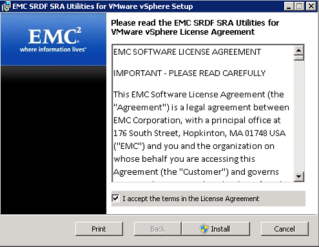
In this post, I’m going to cover the installation of the Storage Replication Adapter (SRA) for Site Recovery Manager. When using array-based replication, this is an absolute must piece of software that the vendor providers as it enables SRM to integrate and work the specific array. The SRA needs to be installed into each SRM […] The post SRM with VMAX 20K Part VII: Installation of Storage Replication Adapters appeared first on vRyan.co.uk – Virtualization Blog.


VMware Advocacy

Removing VMware Data Security after vShield to…

If you forgot to uninstall #VMware Data Security during your NSX upgrade, not all is lost!

Removing VMware Data Security after vShield to…

An existing vShield environment can be upgraded to a full NSX environment, as described in my VCIX post “Upgrade VMware NSX Components”. All vShield components can be upgraded, except for one; vShield Data Security. The documentation states: NSX Data Security does not support a direct upgrade. You must uninstall the current Data Security software before upgrading to NSX Manager. After NSX Manager is upgraded, you can install NSX Data Security version 6.0. If you upgraded to NSX Manager without uninstalling Data Security, you must do so using a REST call. A few days ago, someone came to me with an environment where this exact thing happened. They had upgraded to NSX for all its goodness, but had not removed Data Security and could not…Read More


VMware Advocacy

VCP-6 Objective 7.3–Troubleshoot vSphere Upgrades

VCP-6 Objective 7.3–Troubleshoot vSphere Upgrades

VCP-6 Objective 7.3–Troubleshoot vSphere Upgrades

For this objective I used the following resources: vSphere Troubleshooting documentation VMware KB Article 2032892 – Collecting Diagnostic Information for ESX/ESXi Hosts and vCenter Server Using the vSphere Web Client VMware KB Article 1011641 – Collecting Diagnostic Information for VMware vCenter Server VMware KB Article 653 – Collecting Diagnostic Information for Vmware ESX/ESXi Using the […]]> http://www.virtuallanger.com/2015/07/23/vcp-6-objective-7-3troubleshoot-vsphere-upgrades/feed/ 0…Read More


VMware Advocacy