VMware Introduces Workspace ONE for Microsoft…

Together with #Microsoft. @WokspaceONE

VMware Introduces Workspace ONE for Microsoft…

Today, I am excited to introduce new integrations to enable modern management and intelligence for mutual customers on Windows 10 devices. We are calling this solution “VMware Workspace ONE for Microsoft Endpoint Manager.”


VMware Social Media Advocacy

Interested in the Project Pacific beta? -…

Someone interested in this beta of a ‘small project’? 😉

Interested in the Project Pacific beta? -…

Ever since we announced the technology preview of Project Pacific at VMworld 2019 back in August, customers and partners have been excited to hear more. It’s easy to see why. Leveraging vSphere to deploy and manage containers and Kubernetes infrastructure is a win-win for both vSphere administrators and application developers alike. While an early private


VMware Social Media Advocacy

How to Enable Patient Device Wipe in Epic &…

How to Enable Patient Device Wipe in Epic & Workspace ONE UEM

How to Enable Patient Device Wipe in Epic &…

VMware and Epic recently announced a partnership to secure patient data. This partnership allows the Epic system to call Workspace ONE UEM APIs and issue commands to iOS and Android devices when specific hospital actions occur. For example, whenever a patient is discharged, use this integration to wipe their device. The integration creates a workflow as […] The post How to Enable Patient Device Wipe in Epic & Workspace ONE UEM appeared first on VMware End-User Computing Blog.


VMware Social Media Advocacy

Part 2: vMotion Memory Copy – Under the Hood

Part 2: vMotion Memory Copy – Under the Hood

Part 2: vMotion Memory Copy – Under the Hood

In a previous video, we explained the vMotion process. This video will give detailed information on how vMotion keeps track of memory pages, and how memory is copied from the source to the destination ESXi host.


VMware Social Media Advocacy

Part 1: Introduction to the vMotion process

Part 1: Introduction to the vMotion process

Part 1: Introduction to the vMotion process

This video will explain the basic concept of a workload live migration using vSphere vMotion. We’ll discuss in detail what processes are involved from a vCenter Server and ESXi host perspective. What happens when you initiate a vMotion? Watch the video to find out!


VMware Social Media Advocacy

vSANChat Wrap-Up: VMware and HPE!

vSANChat Wrap-Up: VMware and HPE!

vSANChat Wrap-Up: VMware and HPE!

The vSAN team also hosted our monthly #vSANChat on Twitter! Each #vSANChat is a way for you to ask questions and give feedback directly to the product teams, and we love spending the hour chatting on Twitter and getting to know our subject matter experts! This month we were joined by Brent Sullivan, John Shields The post vSANChat Wrap-Up: VMware and HPE! appeared first on Virtual Blocks.


VMware Social Media Advocacy

Faction: Offering Differentiated Managed…

Faction: Offering Differentiated Managed Services with VMware Cloud on AWS

Faction: Offering Differentiated Managed…

In this video, John Drake, SVP, Strategic Alliances, Faction, talks about their cloud provider journey, their challenges, why they joined the Managed Service Provider (MSP) program, VMware Cloud on AWS and how the partnership with VMware has helped them grow. Learn more: https://cloud.vmware.com/cloud-provider-hub/ VMware Program: VMware Cloud Provider Managed Service Provider (MSP) Program Product covered: VMware Cloud Provider Hub VMware Cloud Service(s) covered: VMware Cloud on AWS


VMware Social Media Advocacy

Tom Hite – VI Admin’s Guide: CNA and 12 Factors…

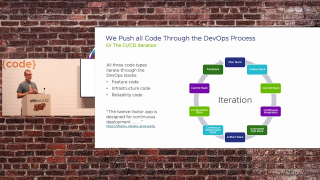
Tom Hite – VI Admin’s Guide: CNA and 12 Factors to Run and Manage Apps on PKS [CODE1916E]
Tom Hite – VI Admin’s Guide: CNA and 12 Factors…

Cloud native applications (CNA), service meshes such as Istio (NSX-SM), and platforms such as Kubernetes (PKS) can seem like another world to the virtual infrastructure administrator (VI admin). But armed with the right knowledge, things get much easier. Join this session to learn about the CNA-foundational 12-factor app, and how the VI admin fits and remains a critical participant therein. We will go through a step-by-step demo (from a VI admin’s perspective) of a scalable 12-factor app, complete with its deployment and management on PKS, including all of its backing services (databases, et al.). The demo includes a highly secured CI/CD implementation and much more. The entirety of the app, infrastructure as code, and management (CI/CD)…Read More


VMware Social Media Advocacy

Safekeeping – a useful tool for interacting…

Safekeeping – a useful tool for interacting with First Class Disks/Improved Virtual Disks

Safekeeping – a useful tool for interacting…

I have been doing quite a bit of work on First Class Disks (FCD), also known as Improved Virtual Disks (IVD) over the past number of months. One tool that has been extremely useful in improving my understanding of FCDs has been safekeeping, a tool developed by Max Daneri of VMware and which is now available to download on GitHub. If you did not know, FCDs are used extensively in VMware’s new Cloud Native Storage (CNS) offering that is currently available with vSphere/vSAN 6.7U3. Now, whilst…Read More


VMware Social Media Advocacy

SD-WAN Made its Mark on VMworld Europe 2019 – A…

SD-WAN Made its Mark on VMworld Europe 2019 – A Recap

SD-WAN Made its Mark on VMworld Europe 2019 – A…

SD-WAN definitely made its mark in Barcelona last week at VMworld 2019 Europe! The show was a tremendous success and we’d like to thank all of our customers and partners for the continued support as we continue to extend our reach. We couldn’t be the leaders in the SD-WAN space without our extended VeloCloud family. If you were The post SD-WAN Made its Mark on VMworld Europe 2019 – A Recap appeared first on VeloCloud by VMware.


VMware Social Media Advocacy

Jumpstart BYOD Engagement with our Work Profile…

Jumpstart BYOD Engagement with our Work Profile Adoption Kit

Jumpstart BYOD Engagement with our Work Profile…

We’ve spoken about the benefits of the work profile multiple times on this blog, highlighting the stellar experience Google has created to help us get work done on our Android devices. I outlined my own experience with the work profile as I use it every day. We also dedicated an episode of our YouTube series […] The post Jumpstart BYOD Engagement with our Work Profile Adoption Kit appeared first on VMware End-User Computing Blog.


VMware Social Media Advocacy

vSphere & Intel JCC, TAA, and MCEPSC/IFU: What…

vSphere & Intel JCC, TAA, and MCEPSC/IFU: What You Need to Know

vSphere & Intel JCC, TAA, and MCEPSC/IFU: What…

VMware has released updates to mitigate several Intel CPU issues, two of which affect security, as well as a regression in how VMware mitigates the previous MDS vulnerabilities. As with other CPU errata and vulnerability mitigations these topics are extremely complicated. Information security often speaks to three core tenets: confidentiality, integrity, and availability. These types The post vSphere & Intel JCC, TAA, and MCEPSC/IFU: What You Need to Know appeared first on VMware vSphere Blog.


VMware Social Media Advocacy

New KB articles published for the week ending…

New KB articles published for the week ending 8th November, 2019

New KB articles published for the week ending…

VMware Workspace ONE Introducing Workspace ONE Tunnel 1.1 for Windows 10 (Desktop) Published Date: 6-11-2019 Work Profile Adoption Kit Assets Published Date: 4-10-2019 FCA-191754: Deleting a child Organization Group in Workspace ONE UEM does not un-enroll or delete devices associated with users in that group Published Date: 5-11-2019 ENRL-1574: Improper error messages displayed when user The post New KB articles published for the week ending 8th November, 2019 appeared first on VMware Support…Read More


VMware Social Media Advocacy

Top 20 articles for vSphere, October 2019

Top 20 articles for vSphere, October 2019

Top 20 articles for vSphere, October 2019

Restarting the Management agents in ESXi Transferring files through vSphere Client might fail L1TF related “esx.problem.hyperthreading.unmitigated” vCenter Server Updates: CVE-2018-3646 “503 service unavailable” error when connecting to the vCenter Server using the vSphere Web Client Investigating virtual machine file locks on ESXi How to reset the lost or forgotten root password in vCenter Server Appliance The post Top 20 articles for vSphere, October 2019 appeared first on VMware Support…Read More


VMware Social Media Advocacy
Top 20 articles for vSAN, October 2019

Top 20 articles for vSAN, October 2019

Top 20 articles for vSAN, October 2019

Status of TLSv1.1/1.2 Enablement and TLSv1.0 Disablement across VMware products Thick-provisioned VMs on vSAN detected on vSAN-health check vSAN Health Service – Online Health – Controller Utility Is Installed on Host VASA Provider Registration Troubleshooting Unable to retrieve vSAN related information via HTML5 client after upgrading to vSphere 6.7 Update 3 “Host cannot communicate with The post Top 20 articles for vSAN, October 2019 appeared first on VMware Support Insider.


VMware Social Media Advocacy

Madhukar Krishnarao – NSX Automation with…

Madhukar Krishnarao – NSX Automation with Ansible: A Complete Guide for Day 0 Operations [CODE1617E]

Madhukar Krishnarao – NSX Automation with…

Bringing up VMware NSX Data Center and making it ready for consumption can be as easy as pressing a button. Using Ansible, the workflow to provision a fully configured, production-ready NSX can be automated. This tooling is not only used by customers; for example, it is also used to ease PKS environment deployment by setting the NSX infrastructure. This session provides a deep dive into the process and illustrates with a demo of how customers can automatically deploy an entire environment from the ground up.


VMware Social Media Advocacy

Saqeb Akhter & Joseph Porambo – Simplifying…

Saqeb Akhter & Joseph Porambo – Simplifying Operations by Advancing Your Network with VMware SD-WAN

Saqeb Akhter & Joseph Porambo – Simplifying…

A new way to provision WANs inevitably brings with it changes in every other facet of networking technology. But this isn’t necessarily a bad thing. In fact, the simplification of operations as they relate to VMware SD-WAN by VeloCloud is unparalleled. In this session, find out how, by removing device configurations from the hardware itself, connecting new branch locations in your network can be as easy as a plug and a click. Configuring those branches? As easy as applying a pre-configured template


VMware Social Media Advocacy