A beginner’s guide to the 2016 VMworld conference in Las Vegas

A beginner’s guide to the 2016 VMworld…
Your first conference can be overwhelming, especially if it’s one as major as VMworld 2016 — the key to surviving is creating a solid game plan.
A beginner’s guide to the 2016 VMworld conference in Las Vegas
Your first conference can be overwhelming, especially if it’s one as major as VMworld 2016 — the key to surviving is creating a solid game plan.
[Webinar] Building Security into Your Network’s DNA
Tuesday, September 13, 2016 at 11:00 AM Central Daylight Time.
VMworld2016 CMBU Survey
Hello from VMware! Would you like to help define the next generation of VMware Operations Management? The VMware User Experience team is seeking participants to attend VMware Design Studio at VMworld 2016 US. As a token of our appreciation, you will receive a unique VMware Design Partner style t-shirt with the completion of the study! Thank you and we look forward to hearing from you!
Just Another IT blog: RDM Disk corruption on Microsoft Failover Cluster
Recently I’ve been working on a fresh new vSphere 6 environment and we wanted to test a new functionality, vMotion of clustered guest VMs with RDM. We created and configured Windows Server Failover Cluster solution (WSFC) in accordanced with VMware’s Best Practices and then vMotion it to another hosts, as expected successfully !!! Then we decided to change the Multi Path Policy of the RDM disk to Round Robin, already supported since vSphere 5.5, when we vMotion the clustered guest VM ,in this specific scenario, we faced a disk corruption on the WSFC solution.
5 Reasons Why VMware Horizon on VCE VxRail Is Simply the Simplist
You’re kicking off a project to deploy virtual desktops (VDI). It’s a journey that starts with assessing compute, memory and storage requirements and ends—eventually—with production desktops. Sound familiar? Well, leveraging VCE VxRail to […] The post 5 Reasons Why VMware Horizon on VCE VxRail Is Simply the Simplist…Read More
Wed @ VMworld – 2 Wildly Different Ways to Discuss Next Gen IT Strategy
The theme of VMworld 2016 is be_Tomorrow. As we’ve talked about in many previous blog posts, it’s no secret that the demands on IT are changing and that IT leaders need to evolve their strategies or risk the decline of their company’s market position and the loss of relevance for internal IT.
An Interview with Top 5 vBloggers within Virtualization
Interview with the Top 5 vBloggers from Eric Siebert and vSphere-Land’s Top vBlog voting contest. They share insight and advice on their creative process.
VMware {code} Hackathon @VMworld 2016!
William Lam and Alan Renouf invites you to VMworld {code} Hackathon held during VMworld on August 29 from 6:30pm-10:00pm! We will provide each team with an already configured vSphere 6.0 Update 2 environment which will consist of a vCenter Server Appliance (VCSA) and single physical ESXi host running on top of VSAN. Winners will receive this customized VMware lab ready Intel NUC mini PC!
VMware Validated Designs Physical Networking Overview
VMware Validated Designs are architectures that help simplify deployments of the Software-Defined Data Center.In this video, we provided an overview of the physical network topology used by the VMware Validated Designs. Learn more about VMware Validated Designs at vmware.com/go/vvd or follow updates on Twitter @VMwareSDDC
Network Inferno: Using PowerCLI to match VTEP binding to hosts
A quick one today on PowerCLI. A colleague asked about how to retrieve a list of VTEPs assigned to a host. I was asked because they though PowerNSX may actually do this but low and behold, good old PowerCLI can do the trick. The use of Get-VMHostNetworkAdapter will help here. The first example will Get … Continue reading “Using PowerCLI to match VTEP binding to hosts”
Adding a second vNIC to the VCSA
I recently spun up a new homelab using an Intel NUC, which I love. The foot print is small, you can jam a bunch of RAM and a decent CPU in there, and the power draw is minimal. One of the things I wanted to accomplish with my NUC is the ability to bring it […]]> http://www.42u.ca/2016/08/09/adding-a-second-vnic-to-the-vcsa/feed/ 0 Preparing for VMWorld the second time around http://www.42u.ca/2016/07/18/preparing-for-vmworld-the-second-time-around/…Read More
Securing the Data Center with VMware AirWatch and NSX Integration
Data breaches have become a significant problem for organizations. A single weak link in the chain causes the entire environment to be at risk and compromised, because exploits can expand their footprint across an organization and to multiple systems. Today, security approaches rely on detecting issues at the perimeter, but not restricting or limiting the size of the attack surface internally. As cybersecurity threats increase, protecting data center resources and limiting a user’s footprint to internal resources is mission critical in protecting corporate data. In this webinar, we will discuss the evolution of cyber threats and mobile security. Our experts will also delve into how the VMware AirWatch and NSX integration can help IT…Read More
VMworld 2016 vSphere Host Lifecycle Management Particulars
VMworld 2016 will feature a great collection of vSphere lifecycle events, with sessions covering Auto Deploy, Host Profiles, VMware Update Manager, VMware Tools, and more! The post VMworld 2016 vSphere Host Lifecycle Management Particulars appeared first on VMware vSphere Blog .
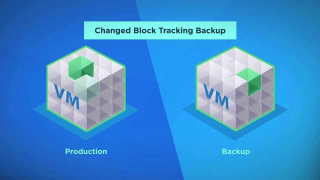
ESXi 6.0 Patch 3 fixes CBT issues in Express Patch 6
Last week VMware released the ESXi 6.0 Patch 3 for the ESXi hosts. There have been a lot of issues that have been fixed with this patch. You can find more about the issuehere. But the most prominent was the one that had a bug from Express Patch 6 that broke the CBT. If you […] The post ESXi 6.0 Patch 3 fixes CBT issues in Express Patch 6 appeared first on Enterprise Daddy.
Building a customised ESXi image for PXE installation – Blah, Cloud.
I have recently been working on a larger scale platform for my employer, it requires quick deployments of environments on VSAN with some standardised VIBs added in, initially we were doing this with a standard ESXi ISO install through iDRAC and then installing vCenter, vSphere Update Manager and pushing the VIBs to the hosts via …Read More
Test your vSphere Distributed Switch knowledge with this quiz — TechTarget
If you think you know which features only come with the vSphere Distributed Switch, challenge your knowledge with this quiz.
Tips for keeping your balance during big conferences
Attending technical conferences aremarathons. You’re in a huge conference center for many hours. You attend keynotes, sessions, and check out all the vendor booths. If you’re a vendor you have booth duty and lots of customer meetings.And there is the opportunity to catchup with the friends that live in far away places. And then there are all the parties…. It’s easy to get caught up and overwhelmed by all of the activities during these conferences.
Least user privilege for Management Pack for Storage Devices – Michael Ryom
I recently installed Management Pack for Storage Devices at a customer site. The customer were required to use a service account which had limited privileges in vCenter. The account had the bare minimum needed for vRops to collect data from vCenter. Using the bare minimums for collecting data wasn’t sufficient for the Management Pack for …Read More
Inspect your network with vRealize Network Insight (vRNI)
VMware vRealize Network Insight 3.0.0 (formerly known as Arkin) is now generally available. vRNI delivers intelligent operations for software-defined networking and security, with converged visibility across virtual and physical networks, planning and recommendations for micro-segmentation and operations management for NSX.
[Webinar] Revealing the Redesigned and Reimagined Socialcast
Companies everywhere are recognizing the importance of providing their employees with a secure and simple way to communicate and collaborate. Socialcast is a secure enterprise chat and social collaboration platform that connects people to relevant business conversations and critical information to accomplish more together. Join this 60-minute webinar to discover how Socialcast’s redesigned user interface and chat-first approach are enabling employees to stay connected, drive collaboration and streamline workflows.