Why Get Certified in Network Virtualization?

Why Get Certified in Network Virtualization?

Why Get Certified in Network Virtualization?

Networking – the profession and the technology – has evolved quickly. And demand for virtualization is expected to grow so networks are as agile as compute. It is now a necessity to limit hardware-centric infrastructure and increase agility, flexibility and heightened security with network virtualization.


VMware Social Media Advocacy

VMware vSphere SDRS – test plan of initial…

#VMware vSphere SDRS – test plan of initial placement

VMware vSphere SDRS – test plan of initial…

VMware vSphere Storage DRS (aka SDRS) stands for Storage Distributed Resource Scheduler. It continuously balances storage space usage and storage I/O load while avoiding resource bottlenecks to meet application service levels.


VMware Social Media Advocacy

What can we achieve with a simple “uptime”…

What can we achieve with a simple “uptime” output in Log Insight

What can we achieve with a simple “uptime”…

If we want to know whether a child is sick, we measure fever. Sure, it’s not a perfect method, but a stuffy nose and the temperature are sufficient for a quick diagnosis. Usually we will not run blood analysis, computer tomography or microbiological tests. Although some doctors and mums may prefer to.


VMware Social Media Advocacy

Understanding PowerShell Terminology

Understanding #PowerShell Terminology

Understanding PowerShell Terminology

When you are first learning PowerShell, there are often a number of terms and words that everyone assumes you know. Well let’s not make that assumption. Instead, let me at offer at least a quick definition for much of the PowerShell terminology you will encounter. You should know how to use the help system to get additional information on these terms, but sometimes you need a little background to either know where to start looking or to put things in perspective. This is by no means an exhaustive list, but rather items based on my experience presenting PowerShell at conferences and in private training classes.


VMware Social Media Advocacy

vCenter 6.0 – Active Directory Identity Source

vCenter 6.0 – Active Directory Identity Source

vCenter 6.0 – Active Directory Identity Source

There are two options for Active Directory Identity Sources with PSC (SSO) 6.0: Active Directory (Integrated Windows Authentication) Active Directory as an LDAP server Note: there are underlying issues using ‘AD Integrated Windows Authentication’ when VMware SRM is part of a solution. The chosen SSO identify source in this example is ‘Active Directory as an LDAP Server’.


VMware Social Media Advocacy

NSX syslog caveat

NSX syslog caveat (via Virtual-Stones)

NSX syslog caveat

When you run a VMware based SDDC solution (in a lab or at a customer site). Which includes VMware NSX for network virtualization, it will probably also include VMware vRealize Operations (vROps) for monitoring and capacity planning. On top of that there is a pretty good change that VMware LogInsight is also included for log management and analytics.


VMware Social Media Advocacy

Understanding The Layers Of Hyper-Converged…

Understanding The Layers Of Hyper-Converged Infrastructure

Understanding The Layers Of Hyper-Converged…

We’re almost half way through the year, and it is shaping up to be a “tipping-point” year for hyper-convergence and HCI. Combine faster CPUs, lower cost flash (with exciting technologies on the horizon) and software innovation with the majority of data centers standardizing on server virtualization, now is the time to extend existing infrastructure investments with newer, modern software-defined solutions.


VMware Social Media Advocacy

VSAN 6.2 ESXi Patch Updates + DELL PERC…

#VSAN 6.2 ESXi Patch Updates + DELL PERC Firmware Updates

VSAN 6.2 ESXi Patch Updates + DELL PERC…

I wanted to cover off a couple of important updates in this post relating to the DELL PERC storage controller Firmware and software drivers as well as an important new release of ESXi 6.0 that addresses a couple of issues with VSAN and also fixes to more VMXNET3 problems which seem to keep popping up. Read further below for the ESXi fixes but firstly a couple of weeks ago I posted about the new certified driver updates for the DELL PERC based storage controllers that VMware released for VSAN 6.2. This driver was only half of the fix as DELL also released new Firmware for most of the PERC based controllers listed below.


VMware Social Media Advocacy

The End of “Good Enough” User Experiences for…

The End of “Good Enough” User Experiences for the Masses: NVIDIA Tesla M10 + VMware Horizon 7

The End of “Good Enough” User Experiences for…

It used to be that graphics performance was purely the domain of CAD professionals, enthusiasts, creative agencies and the like. For the longest time, a virtual barrier existed between the haves and have-nots. The haves depend on an immersive, high-powered experience to get work done, while the have-nots spend their day peering into mundane apps, like presentations and spreadsheets.


VMware Social Media Advocacy

Configuring VMware Identity Manager with SQL…

Configuring #VMware Identity Manager with SQL Always On

Configuring VMware Identity Manager with SQL…

For the last few weeks I have been testing VMware Identity Manager with SQL Always On database for multi-site deployments. This has been an interesting learning curve as its been some time since I last did anything substantial with Microsoft SQL. Before I start with the VMware Identity Manager I think it is worth calling out these 2 resources that I found really useful for setting up SQL Always On in my Lab.


VMware Social Media Advocacy

Determine TBW from SSDs with S.M.A.R.T Values…

Determine TBW from SSDs with S.M.A.R.T Values in ESXi (smartctl)

Determine TBW from SSDs with S.M.A.R.T Values…

Solid-State-Drives are getting more and more common in ESXi Hosts. They are used for caching (vFlash Read Cache, PernixData FVP), Virtual SAN or plain Datastores. A problem that comes with SSDs is their limited lifetime per cell. Depending on their technology, each cell can be overwritten from 1.000 times in consumer TLC SSDs up to 100.000 times in enterprise SLC based SSDs.


VMware Social Media Advocacy

Goodbye vSphere Client for Windows (C#) – Hello…

Goodbye vSphere Client for Windows (C#) – Hello HTML5

Goodbye vSphere Client for Windows (C#) – Hello…

Today we have two important announcements. First, the C# client (AKA Desktop Client/thick client/vSphere Client for Windows) will not be available for the next version of vSphere. Current versions of vSphere (6.0, 5.5) will not be affected, as those will follow the standard support period. You’ve heard this from us in the past, but we’ve been waiting for a sufficient replacement before finally moving forward. Second, we want to talk about the recent vSphere HTML5 Web Client Fling, user adoption, and VMware’s focus on bringing a great user experience. Like the Embedded Host Client Fling (which made it into vSphere in 6.0U2), we plan on bringing this product into a supported release soon.


VMware Social Media Advocacy

Let’s Virtualize: Securing vSphere Infrastructure

Let’s Virtualize: Securing #vSphere Infrastructure

Let’s Virtualize: Securing vSphere Infrastructure

Most of the time when delivering vSphere Courses i got similar question from my audience in which they are concerned about Securing their vSphere infrastructure, So thought of dedicating an article in my blog post.


VMware Social Media Advocacy

Virtual Maestro: What is Ballooning in ESXi Host?

Virtual Maestro: What is Ballooning in ESXi Host?

Virtual Maestro: What is Ballooning in ESXi Host?

Ballooning in simple terms is a process where the hypervisor reclaims memory back from the virtual machine. Ballooning gets initiated when the ESXi host is running out of physical memory. The demand of the virtual machine is too high for the host to handle.


VMware Social Media Advocacy

Getting More Out of vRealize Operations 6.x:…

Getting More Out of #vRealize Operations 6.x: Full Stack Application Monitoring

Getting More Out of vRealize Operations 6.x:…

On May 25th, the Getting More Out Of webinar series will present a session on vRealize Operations Manager 6.x – Full Stack Application Monitoring. As a preview, here are some highlights from the session and what you can do to prepare and get the most out of this session.


VMware Social Media Advocacy

Storage Troubleshooting in a 3-2-1 Hardware Stack
Storage Troubleshooting in a 3-2-1 Hardware Stack

Storage Troubleshooting in a 3-2-1 Hardware Stack

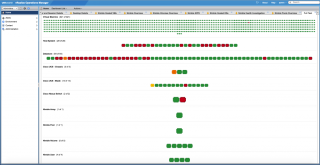
As the storage market transitions to all-flash, hybrid array storage providers strategically work to accelerate performance and utilization. In doing so, it becomes more difficult to categorize hot data, dynamic and agile storage capacities, and other new age concepts. Today we will be following up on a previous blog where we investigated network troubleshooting in a 3-2-1 hardware stack. As a reminder, the term “3-2-1” refers to a redundant architecture of 3 servers, 2 switches, and 1 storage array, or some derivative of that nature (2-2-1, etc). We will then dive into vRealize Operations to determine the root cause of an issue within a 3-2-1 stack at the storage layer and expand on using robust management console as a data aggregator.


VMware Social Media Advocacy