After completing the last episode HomeLab Stage LXXVI: Datacenter III Refresh, this post focuses on my HomeOffice…..
No datacenter content? Keep cool, of course…..
I am using on a daily basis my Custom Windows Workstation, which I built several years ago. It was time to invest into this area again. I wanted a powerful machine, that is able to run AI Large Language Models (LMMs) locally on my desk! I have several servers with GPUs for VDI and AI workloads inside my datacenters, but I wanted more….

Apple Mac Studio M2 Max with 192GB memory and 1TB NVMe, sounds good, right?
Why this machine?
Apple has introduced the unified memory (192GB) M2 Max CPU maxed out. 164GB is usable for the GPU! That is a huge amount of Frame Buffer for AI workloads.
That beast is also my new daily work system, so it must be able to support all my displays, USB devices, 10GbE fibre network etc….

2 x 8K Display and 2 x 4K Display is working correctly and without any problems or tweaking. MacOS is now able to power them smoothly.

Apple Studio has a built in 10GbE copper network, but I have fibre connections (10-100GbE around my house). How to attach it? Media Converter is the answer….

Planet 10GbE Ethernet converter from SFP+ to copper 10GbE. Very small (mine is sitting behind the Apple Studio) and only a few watt power consumption
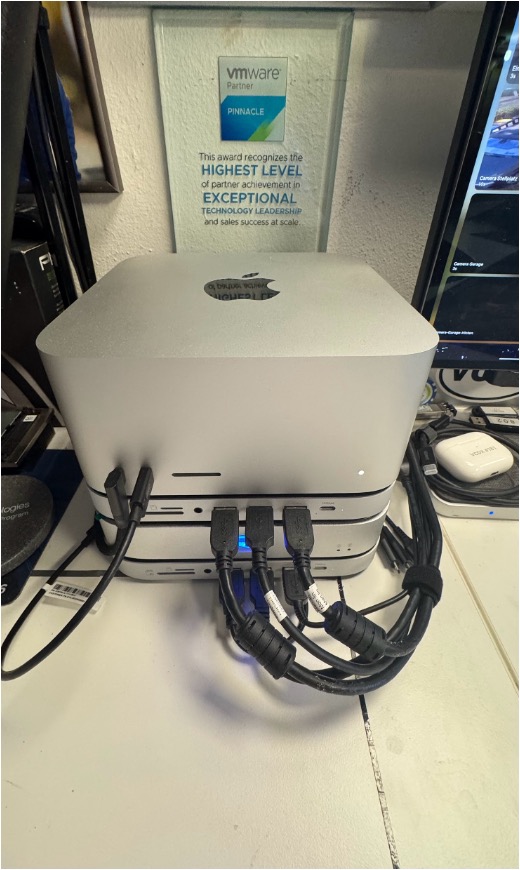
How to attach all my USB devices to the new system? There are Thunderbolt and USB docks with the same size available on amazon…

The USB Docks from Satechi have another very cool feature: They offer an internal NVMe M2 slot. I have installed 2 x 512GB additional storage to my Mac
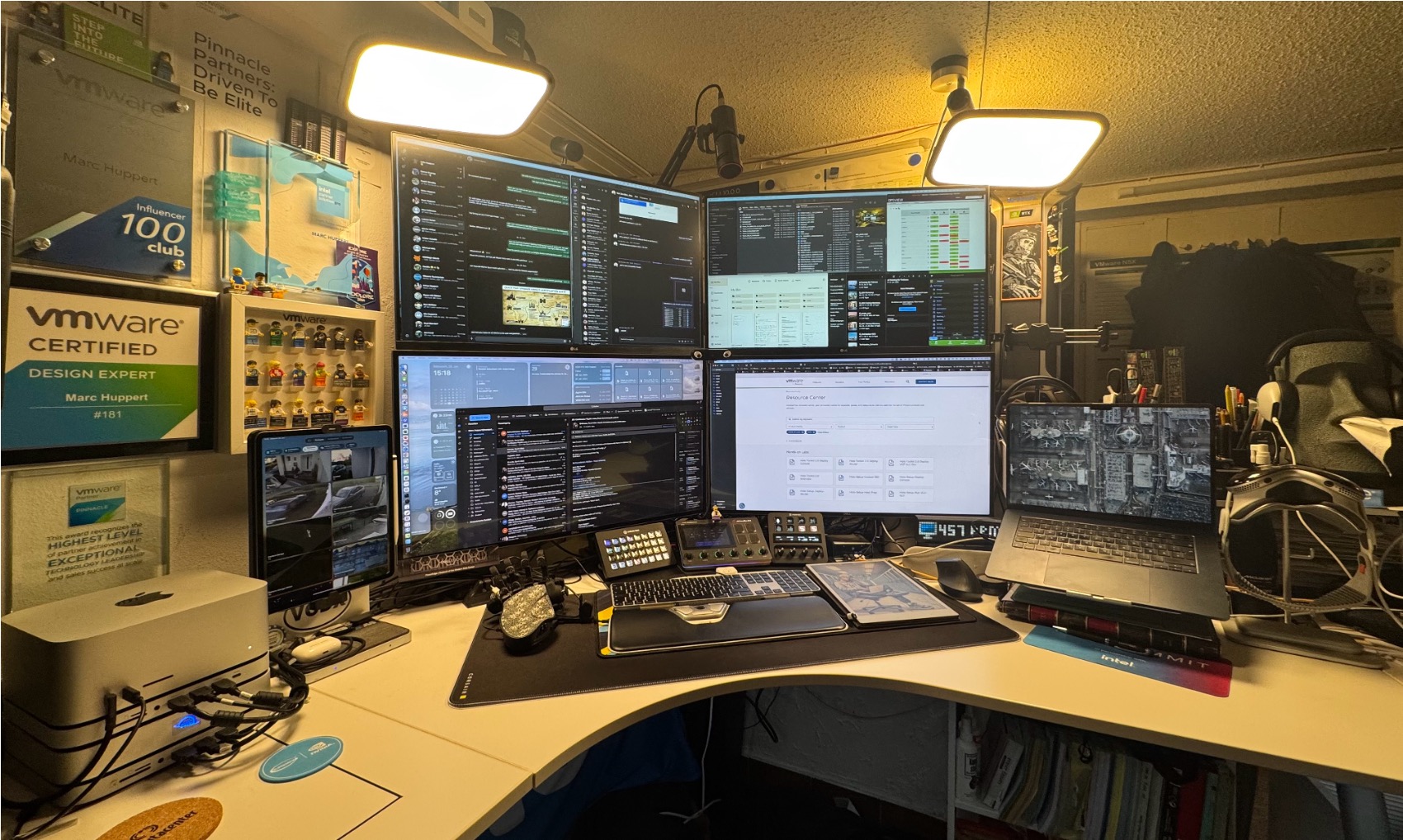
This is my actual HomeOffice workstation view. My existing Windows workstation is now my gaming machine only. I will write another blog post about all the other fun stuff in the future…
How to run AI LLMs on that machine? There is an app for it, of course 🙂

Pico AI Homelab powered my MLX, this small app is extremely powerful and easy to use.

You can choose from a list of available LLMs, just download them and run them locally. That is so cool!

I have now several AI systems running in my house, some of them inside servers at my datacenters and now full testing at my desk. Super AWESOME
#HomeLabKing
Looking for the next one? HomeLab Stage LXXVIII: AI Gadgets