How to create custom vROps groups based on tags — Default Reasoning

How to create custom vROps groups based on tags
A quick bog post about how to create custom vROps groups based on tags defined in the vCenter Server.
How to create custom vROps groups based on tags — Default Reasoning
A quick bog post about how to create custom vROps groups based on tags defined in the vCenter Server.
#vROPS stuck in Waiting for Analytics state: check your hostname — vLenzker
During a Partner enablement session we figured out that a new deployed vRealize Operations Manager (vROPS) instance was not able to be started correctly. Login into https://vrops.fqdn/admin the following was shown under system status.
vROps – Setting up alerting for vROps Cluster & vCenter metrics collecting
When you set up a new vROps environment 2 things that you are going to want to monitor are (1) the health of the vROps nodes themselves and (2) the collection status from the vCenters that you are collecting data from. These are the steps you’ll want to perform once you’ve got your outbound notifications sorted out. In this environment we are using the Standard Email Plugin (SMTP).
Capacity Remaining Badges in vROps – Know When Your Database Will Be Full
Today we are going to take a close look at the Capacity Analysis Badge available in VMware vRealize Operations Manager (vROps). To access the analysis page, select your chosen database; for this blog we will be looking at a Microsoft SQL Server Instance object that I added with the vROps Management Pack for Microsoft SQL Server by Blue Medora.
Relationship Mapping Oracle-VMware in vROps
There are two key relationships that need to be identified in order to provide comprehensive Oracle monitoring in VMware vRealize Operations (vROps): relationships within the Oracle stack, and relationships between Oracle and the VMware stack. When combined, these relationships give you a complete picture of the Oracle on VMware stack for your environment. Let’s take a look at how we can identify these relationships with simple Relationship Mapping using vROps.
Scaling up vRealize Operations Manager Nodes!
This is a quick note to give you tips around scaling up vRealize Operations Nodes. In one of the vROps Webinar episodes we did touch upon the topic of Design Considerations for vRealize Operations Manager.
Take Your VDI or Published App Environment to the Next Level with VMware App Volumes
See how Bob, who works for ACME IT, uses VMware App Volumes to deliver, update, and manage apps across his VDI and published application environment, enabling users like Jane to be happier and more productive.
vRealize Operations for Horizon & Published Apps 6.3 Now Available!
Drumroll, please: VMware vRealize Operations for Horizon & Published Apps, version 6.3, is now generally available (GA). This new version of vRealize Operations for Horizon & Published Apps introduces a slew of new features that will allow you to:
Maintenance Mode in vRealize Operations
Maintenance mode is a feature of vRealize Operations Manager (vROps), which prevents a resource from presenting misleading data or status during planned changes or unscheduled outages to the system’s software or hardware. In this blog, we’ll take a look at a couple ways to place resources in maintenance.
Seamless Integration of vROps Using Third-Party Management Packs
Now more than ever, IT departments are faced with an overwhelming number of avenues to manage and analyze their IT environment. These avenues have a wide range of management options created in-house to vendor-created management interfaces. With so many options to choose from, it’s hard to know the best choice. One common theme in making a decision is efficiency of the solution. For example, it’s more efficient to monitor all of your systems from a single console with comprehensive management packs than it is to use a half dozen tailored monitoring platforms for each layer of your stack.
How to Get the Perfect Graph in vROps
Graphs can be found throughout VMware vRealize Operations (vROps), from the All Metrics page of a resource to the Metric Charts widget in a dashboard. While simple to use, these graphs are extremely powerful tools for displaying historical data exactly how you want to view it. Let’s take a look at some of the key display settings that allow you to transform your historical data.
VMware app volumes 3.0 doing UEM – deep dive
VMware released app volumes a while ago, today I thought it was time to do a deep dive and see what they created. Strangely we now have two app volumes versions, the 2.5 and the 3.0 version. Customers on version 2.10 are not advised to go to 3.0, which is odd as everyone was expecting a new version that would be the successor of the 2.10 version. Customers can’t upgrade the appstacks to the 3.0 version so they would need to rebuild.
Hitachi Server Content pack for VMware vRealize Log Insight
Hitachi Server Content pack for VMware vRealize Log Insight provides log aggregation and indexing with near real-time search and analytics capabilities.
Customizing vROps – Creating Relationships and Changing Collection Intervals
Often times what you get out of the box isn’t exactly what you need. The great thing about vRealize Operations is that it is quite customizable – from it’s great dashboarding capabilities, reporting, capacity planning, to policies, which allow for customizing how vRealize Operations treats different groups of resources. In this blog, we’ll explore how relationships can manually be created between resources – which helps admins understand how performance and availability of a resource is related to the performance and availability of it’s dependent resources. Additionally, we’ll take a look at collection intervals and how they can be customized to accommodate business requirements.
VMware app volumes AppToggle – deep dive
Yesterday I did a test with the new customization in VMware app volumes, today I’m testing AppToggle in app volumes. AppToggle is about having multiple applications in one appstack and being able to assign some to one user and some to other. The idea behind it is that you have less appstacks, there is a limit with the number you can connect, and therefor everything stays workable and fast.
New #vRealize Log Insight Videos in the Learning Zone
VMware Learning Zone subscribers get one year of unlimited access to our cloud-based video training library taught by top VMware experts, including all our new releases. This month, Steve Flanders continued his series on VMware vRealize Log Insight with several new videos:
5 Common Errors While Installing vRealize Operations Manager
Understanding the most common errors associated with installing VMware’s vRealize Operations Manager (vROps) can drastically improve user experience. Currently, 85% of Blue Medora’s support tickets are related to user error during vRealize Operations installation and configuration. Below, I have outlined the top five errors that we see vROps users encountering, and how to avoid them if you’re looking to install vRealize Operations or integrate third-party management packs.
Log Insight: Mass Export Events
As you may know, the Log Insight UI only allows a maximum of 20K events to be exported at any given time. I often hear the request to export more than 20K events. In this post, I will cover other options that are available today. Read on to learn more!
Deploy, Configure, and Microsegment Log Insight – Network Inferno
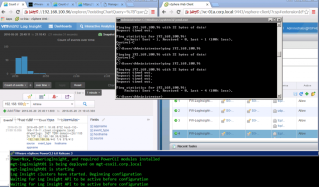
Building on a couple of recent blog posts I have made some PowerShell functions that wrap elements of the Log Insight JSON REST API. Using a mixture of PowerCLI, PowerNSX, and Power LogInsight commands it is possible to deploy Log Insight end to end.
vRops Symptoms & Alerts – Disk usage (via Michael Ryom)
Doesn’t seem like everybody really understands how good and how big a change vRops symptoms and alerts have gone through since version 5.x.