VMware User Environment Manager – Übersicht

VMware User Environment Manager – Übersicht
User Environment – Übersichtsvideo
VMware User Environment Manager – Übersicht
User Environment – Übersichtsvideo
Monitor VDI with these top tools
IT has several tools at its disposal to monitor VDI deployments, including built-in offerings from Citrix and VMware, as well as third-party options.
UAG detailed audit logging – See what others are discussing about Horizon on #VMTN
We have been requested to provide detailed audit logging for our UAG. We have the UAG pointed to a syslog server but we are finding that the logging is minimal.
Getting started with VMware AppDefense – Part 1
Once you have access to the portal you can view the official documentation, download the on-premises appliance as well as the host and guest modules. To access the downloads simply click the cog icon in the bottom left-hand side of the screen and select…Read More
VMware Horizon View 7.4 with Instant-Clone Floating Desktop Pool for Linux
It’s been this month that there has been a release of VMware Horizon View 7.4. In case you’re lost in the release numbers, don’t worry. You’re not alone. There have been quite a few releases of VMware Horizon recently, but this one allows creating Instant-Clone Floating Desktop Pool for Linux desktops. The long-term goal from VMware […] Read the full post VMware Horizon View 7.4 with Instant-Clone Floating Desktop Pool for Linux at ESX Virtualization .
Updated: EUC Visio Stencils and Icons (2018) – Ray Heffer
I’ve been using Microsoft Visio for a very long time, and it’s still my tool of choice when creating architecture diagrams. Since PowerPoint on the Mac has been massively improved I do use that more often, but you can’t beat Visio for the more detailed diagrams. With that, it has been almost 3 years since …
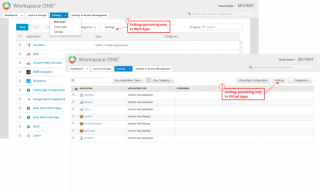
VMware Identity Manager 3.2 Admin Console Updates
Find out what’s coming in VMware Identity Manager 3.2, including six updates to simplify the admin console experience.
UX updates to VMware Identity Manager admin console
We are excited to announce that we’re delivering several UX updates to the admin console in our VMware Identity Manager 3.2 release. To help you become familiar, this blog describes the various changes. Bulk of these changes in the admin console can be categorized into two buckets: – UX changes in the Catalog section – […] The post UX updates to VMware Identity Manager admin console appeared first on VMware End-User Computing Blog .
Securely Enabling Mobility with Workspace ONE and Lookout
Learn how VMware Workspace ONE and Lookout combine to help enterprises with a comprehensive enterprise mobile security approach that protects endpoints with centralized control and policies.
Updated VMware Workspace ONE Reference Architecture for SaaS Deployments
The VMware Workspace ONE Reference Architecture for SaaS Deployments illustrates how Workspace ONE can deliver a modern digital workspace that meets key business requirements and common use cases for the increasingly mobile workplace. VMware Workspace ONE is a digital workspace platform that simply and securely delivers and manages any app on any device by integrating […] The post Updated VMware Workspace ONE Reference Architecture for SaaS Deployments appeared first on VMware End-User…Read More
Migration of the #Horizon View Composer to another machine (including a database migration from Oracle / Microsoft) – vLenzker
Migration of the #Horizon View Composer to another machine (including a database migration from Oracle / Microsoft)
Multi vlan Network for Horizon View using PowerCLI & API’s
One of the things I wanted to do for a while is to write an API version on how to use multiple portgroups with Horizon View linked clones. With instant clones there’s a gui way to select mult…Read More
VMware NSX Micro-Segmentation for VMware Horizon 7
Organizations that embark on the journey of building virtual desktop environments bring traditionally external endpoints into the data center. These Windows or Linux endpoints are now closer to and often reside on the same networking infrastructure as the backend application servers that these may access by multiple end users. Malicious attacks that would traditionally take …
VMware Horizon Cloud | Virtual Desktops & Apps
VMware Horizon Cloud enables the delivery of cloud-hosted or on-premise virtual desktops and apps to any device anywhere from a single, cloud control plane. Learn more at http://www.vmware.com/go/horizoncloud.
50 articles that fix EVERYTHING in Horizon View!
Ok, our title may exhibit a teenie-tiny hint of hyperbole, but seriously the following list of articles covers the majority of issues that you can solve yourself. We’ve posted these lists before but limited the number to twenty, but why do that? Your problem might be number twenty one. Manually deleting linked clones or stale …Read More
VMware Horizon 7.4 Network Ports for Cloud Pod Architecture
Earlier this month (January 2018) VMware released Horizon 7.4, and with that I wanted to share some updates in regard to the network port requirements. My good colleagues over in the EUC Technical Marketing team are doing a fine job of maintaining the diagram and have recently published a white paper PDF which you’ll find […] The post VMware Horizon 7.4 Network Ports for Cloud Pod Architecture appeared first on vCloud Architecture Toolkit (vCAT) Blog .
[Video] 5 Demos of the New VMware Horizon Client for iOS 4.7
Sure, your mother says she loves all her children equally. But really, she loves each of you best for short periods of time. That’s how I feel about the VMware Horizon Clients. Today, with the 4.7 release, I particularly love the iOS client. The Horizon Client for iOS 4.7 takes advantage of the drag-and-drop capabilities […] The post [Video] 5 Demos of the New VMware Horizon Client for iOS 4.7 appeared first on VMware End-User Computing Blog .
Adding manual desktops in Horizon View and assigning them using Powercli
A while ago I received a question from Geoffrey O’Brien if I knew how to add a desktop and assign it using PowerCLI. I started building this using the api’s and after a lot of hours, cu…Read More
[Deep Dive] VMware Workspace ONE Remote Management
Remotely manage end-user devices for troubleshooting and maintenance with this feature, part of the VMware AirWatch unified endpoint management technology that powers VMware Workspace ONE. VMware End-User Computing (EUC) solutions empower the digital workspace by simplifying app & access management, unifying endpoint management & transforming Windows delivery. Follow the VMware EUC Blog to learn more: https://blogs.vmware.com/euc.
New Technical White Paper – App Volumes Reviewer’s Guide
The Reviewer’s Guide for VMware App Volumes 2.13 .1 is a comprehensive technical overview to help you evaluate VMware App Volumes. App Volumes provides real-time application delivery and life-cycle management. It can use App Volumes to quickly deliver applications and data to users without compromising the user experience. This guide introduces you to App Volumes and how it fits into the VMware End-User-Computing vision. You learn about App Volumes architecture and components, including…Read More