How to reset Single Sign-On (SSO) password in…

How to reset Single Sign-On (SSO) password in vSphere — via ESX Virtualization

How to reset Single Sign-On (SSO) password in…

As you might notice, VMware vSphere has now Platform service controller (PSC) with a Single Sign-On (SSO) as a component. It is PSC which allows authentication via vCenter Single Sign-On (SSO). It is not only an authentication broker but also a security token exchange providing a more secure way of accessing your vSphere solutions, so in my honest opinion, it is a key component. In this post, we will learn How to reset Single Sign-On (SSO) password in vSphere.

VMware Social Media Advocacy

VMware Certification Story: Matt Vandenbeld,…

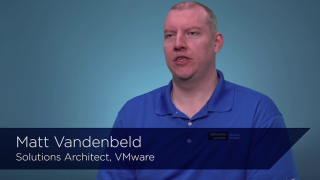
VMware Certification Story: Matt Vandenbeld, VCDX #107

VMware Certification Story: Matt Vandenbeld,…

Matt Vandenbeld, VCDX #107 talks about how earning his VMware certifications has benefited his career and provides advice for others considering certification. Learn more about VMware Certification at http://www.vmware.com/certification


VMware Social Media Advocacy

vSphere and TLS 1.2

vSphere and TLS 1.2 — via VMware vSphere Blog

vSphere and TLS 1.2

I traditionally don’t write much about compliance. I’ve been very focused on security. But some might ask “Aren’t they the same thing?” My answer is unequivocally “No” but remember, this is my opinion and in the world of security, we are all entitled to our opinion, right?


VMware Social Media Advocacy

vRealize Operations with Embedded Log Insight…

vRealize Operations with Embedded Log Insight Integration

vRealize Operations with Embedded Log Insight…

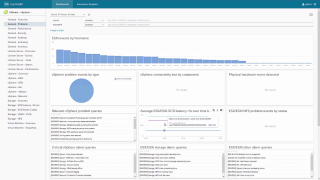
http://bit.ly/2m4EDwO Enhance end-to-end operations management by integrating with VMware vRealize Operations. Log Insight comes with built-in knowledge and native support of vSphere and other VMware products, like VMware Horizon® with View, vRealize Operations and vRealize Automation. Log Insight integrates with VMware vRealize Operations™ to bring unstructured and structured data together, for significantly enhanced end-to-end operations management.


VMware Social Media Advocacy

Enabling vCenter High Availability – Advanced

Enabling vCenter High Availability – Advanced

Enabling vCenter High Availability – Advanced

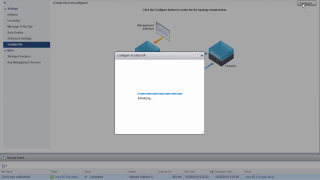
This video demonstrates how to enable vCenter Server High Availability using the Advanced workflow on the vCenter Server Appliance 6.5. Find the full click-by-click walkthrough here: https://featurewalkthrough.vmware.com/#!/vsphere-6-5/enabling-vcenter-ha-advanced


VMware Social Media Advocacy

vRealize Production Test

vRealize Production Test — via Just Another IT blog

vRealize Production Test

Maintain a healthy environment is part of any IT Administrator’s duty, sometimes is hard to assess several components that might compound a solution, would it not be nice to have a tool that looks at these solutions and provides you a health report ?


VMware Social Media Advocacy

vSphere 6.0 Update 3 – Important Update for vSAN

vSphere 6.0 Update 3 – Important Update for vSAN — via CormacHogan.com

vSphere 6.0 Update 3 – Important Update for vSAN

ESXi 6.0 Update 3 is now available. This update is significant for vSAN customers as there are a number of performance related issues addressed. The KB article detailing vSAN performance improvements can be found here, and the ESXi 6.0 U3 release notes can be found here. I wouldn’t necessarily write a blog post to highlight a KB or update release, but I think the improvements that have been made to vSAN performance in this update are very significant.


VMware Social Media Advocacy

Virtual Hardware Plug-N-Play improvements in…

Virtual Hardware Plug-N-Play improvements in vSphere 6.5 — via virtuallyGhetto

Virtual Hardware Plug-N-Play improvements in…

Have you ever noticed when you create a new VM, a floppy device is present in the GuestOS regardless if you had actually added one or not? If not, it is pretty simple to demonstrate. Create any Windows VM using a non-vSphere 6.5 release, install the OS and then power it on. You should now see a floppy device (A:) show up under “My Computer” as seen in the screenshot below.


VMware Social Media Advocacy

NSX, vSphere, and Virtual SAN Troubleshooting…

NSX, vSphere, and Virtual SAN Troubleshooting Trainings Now in the Learning Zone

NSX, vSphere, and Virtual SAN Troubleshooting…

This month in the Learning Zone was mainly focused on troubleshooting. From vSphere to NSX to Virtual SAN, a lot of ground was covered. Standard and Premium subscribers are able to access these cloud-based videos on demand, anytime.


VMware Social Media Advocacy

VMware Private Cloud Solution for SAP – Day 2

VMware Private Cloud Solution for SAP – Day 2

VMware Private Cloud Solution for SAP – Day 2

SAP environments are large and complex, but that doesn’t mean they should be difficult to operate, protect, and manage. The VMware Software-Defined Data Center helps keep SAP environments more available, scalable, secure, efficient and performing optimally. Learn how to improve Day 2 operations in your SAP environments by leveraging the power of vRealize Operations, vRealize Automation, VMware NSX, VMware VSAN and VMware Site Recovery Manager within your Software Defined Data Center.


VMware Social Media Advocacy

VMware Private Cloud Solution for SAP – Day 1

VMware Private Cloud Solution for SAP – Day 1

VMware Private Cloud Solution for SAP – Day 1

Simplify administration of your SAP landscapes to increase scalability and improve time to market. The VMware Adapter for SAP LaMa integrates SAP Landscape Management with VMware’s SDDC to enable SAP Basis Administrators to rapidly clone, copy, refresh, mass stop and start, and migrate SAP systems between physical servers, storage, and virtual networks. The VMware Adapter for SAP LaMa provides a single console to centrally manage your whole SAP landscape, enabling peak operational output through greater visibility and control.


VMware Social Media Advocacy

VMware Predictive Distributed Resource Scheduler

VMware Predictive Distributed Resource Scheduler

VMware Predictive Distributed Resource Scheduler

http://bit.ly/2lP9kax Resource contention is one of the most critical issues in any virtualized environment. When contention occurs, applications slow down and your users are affected. Up until now two different methodologies have been employed to mitigate the risk of contention, with varied results. This video will introduce you to the new “game changing” method available from VMware: Predictive DRS and will show you how it relates to the current mitigation methods.


VMware Social Media Advocacy

360 Troubleshooting with vRealize Operations…

360 Troubleshooting with vRealize Operations and vRealize Log Insight

360 Troubleshooting with vRealize Operations…

http://bit.ly/2m4EDwO Leverage the power of vRealize Operations and vRealize Log Insight together for 360 degree rapid troubleshooting. Log Insight integrates with VMware vRealize Operations to bring unstructured and structured data together, for significantly enhanced end-to-end operations management. Follow the trail from vRealize Operations to logs to get to root cause to an observed problem.


VMware Social Media Advocacy

Finding Issues with vRealize Log Insight

Finding Issues with vRealize Log Insight

Finding Issues with vRealize Log Insight

http://bit.ly/2m4EDwO vRealize Log Insight uses intuitive, easy-to-use, graphical interface for simple interactive searches as well as deep analytical queries providing quick insights, enabling fast time to value and improved operational efficiency. Log Insight automatically identifies structures in the data and create a high performance index for performing analytics. Log Insight can analyze terabytes of logs, discover structure in unstructured data, and deliver enterprise-wide visibility.


VMware Social Media Advocacy

Table of all vmkernel error codes in ESXi 6.5

Table of all vmkernel error codes in ESXi 6.5 — via Virtualization the Future

Table of all vmkernel error codes in ESXi 6.5

vmkerrcode utility displays a table of all VMkernel errors, a brief description, and the corresponding error codes in both decimal and hexadecimal format. This utility was added in ESX 3.0.2


VMware Social Media Advocacy