New Fling: VMware vSphere Compatibility Predictor

New Fling: VMware vSphere Compatibility Predictor

New Fling: VMware vSphere Compatibility Predictor

This Fling scans all PSCs connected to a single PSC. It will detect the versions of all the vCenter Servers connected to PSCs and all the Solutions connected to vCenter Servers. It will then depict the connectivity in pictorial form.

VMware Social Media Advocacy

Using the vSphere API in vCenter Server to…

Using the vSphere API in vCenter Server to collect ESXTOP & vscsiStats metrics — via virtuallyGhetto

Using the vSphere API in vCenter Server to…

Back in 2013, I wrote two articles here and here on how to use the Service Manager API that was introduced in vSphere 5.1 to remotely collect ESXTOP and vscsiStats metrics. At the time, I was told that this API was only available when connecting directly to an ESXi host using the vSphere API.


VMware Social Media Advocacy

NSX Install Guide Part 1 – Mgmt and Control Planes

NSX Install Guide Part 1 – Mgmt and Control Planes — via ESXsi

NSX Install Guide Part 1 – Mgmt and Control Planes

In this 3 part guide we will focus on the installation of NSX 6.2.5. Part 1 provides details of the deployment and official documentation, we’ll build the management and control planes by deploying NSX Manager and an NSX Controller cluster.


VMware Social Media Advocacy

Upgrading vROps 6.0.1 to 6.4

Upgrading vROps 6.0.1 to 6.4 — via vrealize

Upgrading vROps 6.0.1 to 6.4

With the introduction of vROps 6.4 tones of new features are available to the customer. Its new mechanism makes the process firmly simple to generate custom reports & dashboards in no time. This new dashboard gives user the ability to look at the environment in much granular way and with various dashboards they can project environmental objects in variety of ways.


VMware Social Media Advocacy

Log Insight Agent and SSL Parameters

Log Insight Agent and SSL Parameters — via SFlanders.net

Log Insight Agent and SSL Parameters

Log Insight 4.0 changed the default option of “ssl” from off to on as I covered in this post. Using encryption by default is a best practice, but you should be aware of the four SSL parameters that can be set in the [server] section of the Log Insight agent configuration. Read on to learn more!


VMware Social Media Advocacy

VMware CEO Excited About Amazon Partnership

VMware CEO Excited About Amazon Partnership — via Bloomberg

VMware CEO Excited About Amazon Partnership

Patrick Gelsinger, VMware’s chief executive officer, discusses the company’s alliance with Amazon, its cloud strategy and the prospects for the software industry. He speaks with Bloomberg’s Caroline Hyde at the Goldman Sachs Technology Conference in San Francisco on “What’d You Miss?” (Source: Bloomberg)


VMware Social Media Advocacy

VMworld 2017 Call for Papers is now open!

VMworld 2017 Call for Papers is now open!

VMworld 2017 Call for Papers is now open!

We’re looking for speakers who will inspire the VMware community. Have you integrated VMware solutions and technologies in an innovative way? Do you have a best practice or individual technical tips and tricks to recommend? Can you tell us about an amazing app that leverages VMware solutions to improve your business? If so, please join us at VMworld 2017.


VMware Social Media Advocacy

NSX Application Rule Manager – Simplifying…

[Video] NSX Application Rule Manager – Simplifying Microsegmentation

NSX Application Rule Manager – Simplifying…

Demo of the Application Rule Manager functionality introduced in NSX 6.3.0 that, as stated on the release notes, simplifies the process of creating Security Groups and whitelisting firewall rules for existing applications. VMware NSX 6.3.0 Release Notes can be found here: http://pubs.vmware.com/Release_Notes/en/nsx/6.3.0/releasenotes_nsx_vsphere_630.html


VMware Social Media Advocacy

The Self-Healing Data Center (Part 2) –…

The Self-Healing Data Center (Part 2) – Installing the Webhook Shims for Automating Alerts — via VMware Cloud Mgmnt Blog

The Self-Healing Data Center (Part 2) –…

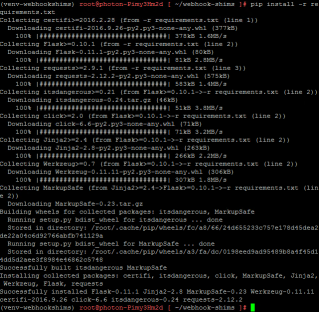
In the previous post, I explained how vRealize Operations with vRealize Orchestrator can automate alert notifications via the REST Notification plugin to enable a self-healing datacenter. I also introduced the Webhook Shims as the solution that provides the underlying capability. In this post, I will walk you through installing the Webhook Shims in your environment and setting up a simple use case to test things out.


VMware Social Media Advocacy

SEC9990-S – How Virtualization Will Transform…

SEC9990-S – How Virtualization Will Transform Security

SEC9990-S – How Virtualization Will Transform…

Take a look at the future of software-defined security Security spend has been growing twice as fast as IT spend. It would seem the only thing growing faster than security spend… is security losses. This spiraling trend shows no evidence of turning around despite massive investment and innovation in security technology.


VMware Social Media Advocacy

VMware Site Recovery Manager – Post…

VMware Site Recovery Manager – Post Installation Changes — via vLore Blog

VMware Site Recovery Manager – Post…

Today, I was pleasantly surprised to learn hands-on that many settings that I made during the installation of VMware Site Recovery Manager (SRM) could be easily modified after installation.


VMware Social Media Advocacy

Creating custom View for vROps 6.4 Dashboard

Creating custom View for vROps 6.4 Dashboard — via vrealize

Creating custom View for vROps 6.4 Dashboard

In my today’s blog I’ll be concentrating on creating a View of your choice and then populating that view into custom dashboard so that relevant information is always ready to be viewed.


VMware Social Media Advocacy

Part 1 – VMware UEM 9.1.x Deploy n Configure

[Video] Part 1 – VMware UEM 9.1.x Deploy n Configure

Part 1 – VMware UEM 9.1.x Deploy n Configure

This is a Two Part Video Walk-through Series of VMware User Environment Manager (UEM) 9.1.x Watch this video series if you; – Want to know how to configure VMware User Environment Manager (9.1.x) as a Proof of Concept environment. – Want to understand how to configure the pre-requisites (GPO & Shared drives) and UEM components (Sync tool, Helpdesk tool, Self Service tool) – Want to know how to capture Application settings and inject them into UEM, have UEM control when a user get a specific…Read More


VMware Social Media Advocacy

Setting the record straight on DRS, pDRS and…

Setting the record straight on DRS, pDRS and Workload Placement — via VMware Cloud Mgmnt Blog

Setting the record straight on DRS, pDRS and…

A consistent theme in questions from customers have been cropping up lately around VMware DRS (Distributed Resource Scheduler), p(predictive)DRS & workload placement. The questions are related to how DRS & pDRS actually work as well as some misunderstandings around the benefits they bring to customers’ environments.


VMware Social Media Advocacy

Exploring new VCSA VAMI API w/PowerCLI: Part 8

Exploring new VCSA VAMI API w/PowerCLI: Part 8 — via virtuallyGhetto

Exploring new VCSA VAMI API w/PowerCLI: Part 8

In Part 8, we are going to take a look how services are managed in a VCSA or PSC node which is provided by the vCenter Server Lifecycle Management system also referred to internally as vMon. You can interact with the vMon service using either the service-control utility which is only available via SSH or the VAMI APIs which are available remotely. As you probably have guessed, we will be using the VAMI APIs 🙂


VMware Social Media Advocacy