VMware Cloud Foundation – Delete Workload Domain

VMware Cloud Foundation – Delete Workload Domain

VMware Cloud Foundation – Delete Workload Domain

In this video, I’ve completed the imaging and initial bring up process for the VMware Cloud Foundation instance. It includes two qualified top-of-rack switches, a management switch and 12 vSAN Ready Nodes. A four-node Management Domain is in place along with a five-node VI Workload Domain. Now, we’ll show how to automate the removal of a workload domain. Now, we’ll add capacity to the workload domain from available vSAN Ready Nodes in the VMware Cloud Foundation instance. There is a ton of automated goodness happening under the hood during the workload domain creation phase. Watch closely and you’ll catch the tasks being orchestrated across the integrated platform.

VMware Social Media Advocacy

VMware Cloud Foundation – Expand Workload Domain

VMware Cloud Foundation – Expand Workload Domain

VMware Cloud Foundation – Expand Workload Domain

In this video, we’ve completed the imaging and initial bring up process for the VMware Cloud Foundation instance. It includes two qualified top-of-rack switches, a management switch and 12 vSAN Ready Nodes. A four-node Management Domain is in place along with a four-node VI Workload Domain. Now, we’ll add capacity to the workload domain from available vSAN Ready Nodes in the VMware Cloud Foundation instance. There is a ton of automated goodness happening under the hood during the workload domain creation phase. Watch closely and you’ll catch the tasks being orchestrated across the integrated platform.

VMware Social Media Advocacy

VMware Cloud Foundation – Expand Workload Domain

VMware Cloud Foundation – Expand Workload Domain

VMware Cloud Foundation – Expand Workload Domain

In this video, we’ve completed the imaging and initial bring up process for the VMware Cloud Foundation instance. It includes two qualified top-of-rack switches, a management switch and 12 vSAN Ready Nodes. A four-node Management Domain is in place along with a four-node VI Workload Domain. Now, we’ll add capacity to the workload domain from available vSAN Ready Nodes in the VMware Cloud Foundation instance. There is a ton of automated goodness happening under the hood during the workload domain creation phase. Watch closely and you’ll catch the tasks being orchestrated across the integrated platform.

VMware Social Media Advocacy

The VMware Specialist’s Guide to AWS…

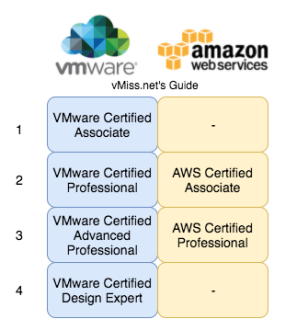
The VMware Specialist’s Guide to AWS Certifications – via vMiss.net

The VMware Specialist’s Guide to AWS…

More and and more people are beginning to get on board with Amazon Web Services (AWS), especially the certifications. For many, a certification is a great way to get started with a new technology, by studying for the certification one will be exposed to many different aspects of the technology.


VMware Social Media Advocacy

Getting More Out of VMware: Installation and…

Getting More Out of VMware: Installation and Sizing of vRealize Operations (Jan 18th)

Getting More Out of VMware: Installation and…

On January 18th, we will be hosting another “Getting More out of VMware” webinar. We will show you how to install and size vRealize Operations. Register here, or read for more details!


VMware Social Media Advocacy

VMware vSphere 6.5 Embedded Update Manager…

VMware vSphere 6.5 Embedded Update Manager (VUM) Demo

VMware vSphere 6.5 Embedded Update Manager…

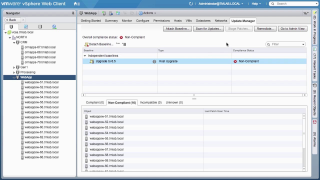
In VMware vSphere 6.5, Update Manager (VUM) is now fully embedded with the vCenter Server Appliance (VCSA). See an overview of the user interface and how to upgrade a cluster to VMware ESXi 6.5.


VMware Social Media Advocacy

Top 10 Tips for a Successful Horizon VDI

Top 10 Tips for a Successful Horizon VDI

Top 10 Tips for a Successful Horizon VDI

Here are my top ten tips and tricks for a smoother deployment of VMware Horizon® View™ Standard Edition. These suggestions are informed after spending several years as a Technical Support Engineer. This is not a complete list, so please refer to the official Horizon View Documentation when planning your deployment.


VMware Social Media Advocacy

New “raw” VM Storage Policy support in OVFTool…

New “raw” VM Storage Policy support in OVFTool 4.2 simplifies bootstrapping VMs onto VSAN – via virtuallyGhetto

New “raw” VM Storage Policy support in OVFTool…

Several weeks back I came across a handy little tidbit on an enhancement that was added to the latest version of OVFTool (4.2) that greatly simplifies the bootstrapping of a vCenter Server or any other VM for that matter onto a vSAN Datastore.


VMware Social Media Advocacy

vSphere with Operations Management -…

vSphere with Operations Management – Intelligent Workload Placement

vSphere with Operations Management -…

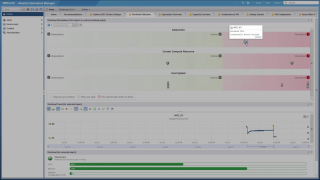
vSphere with Operations Management leverages vRealize Operations to better optimize a vSphere environment’s resources and workloads. This video focuses on how vR Ops can manage workloads within datacenter or custom datacenter objects. Workload Placement also features its own dashboard which is available out of the box. This dashboard takes a look at metrics such as CPU Demand, Memory Consumed, and vSphere Configuration Limit. It then applies those across datacenter and/or custom datacenters, clusters, and individual hosts themselves. The video will walk through a high-level overview of what Workload Placement is, how it interacts with vSphere’s DRS, and then walking through a use case of balancing a workload imbalance between clusters….Read More


VMware Social Media Advocacy

Rent-A-Center Optimizes VDI with All-Flash vSAN

Rent-A-Center Optimizes VDI with All-Flash vSAN

Rent-A-Center Optimizes VDI with All-Flash vSAN

To maintain a data center with a wide mix of technology running together can be very challenging. With Horizon View and VCE VxRail, Rent-A-Center has standardized their VDI environment leveraging vSAN all-flash storage, and has streamlined and modernized their infrastructure greatly simplifying operations. Aiming to eliminate legacy application and multiple legacy devices, the team is moving towards a completely software defined data center based on vSAN. With the converged infrastructure the IT team can get down to very fine level of detail in software, provisioning the infrastructure through software, dramatically reducing administrative overhead and delivering maximum performance and scalability. “Being able to just deploy and not…Read More


VMware Social Media Advocacy

vSphere 6.5 Encrypted vMotion Architecture and…

vSphere 6.5 Encrypted vMotion Architecture and Performance

vSphere 6.5 Encrypted vMotion Architecture and…

With the rise in popularity of hybrid cloud computing, where VM sensitive data leaves the traditional IT environment and traverses over the public networks, IT administrators and architects need a simple and secure way to protect critical VM data that traverses across clouds and over long distances.


VMware Social Media Advocacy

Announcing the VMware Horizon 7 Enterprise…

Announcing the VMware Horizon 7 Enterprise Edition Multi-Site Reference Architecture Paper

Announcing the VMware Horizon 7 Enterprise…

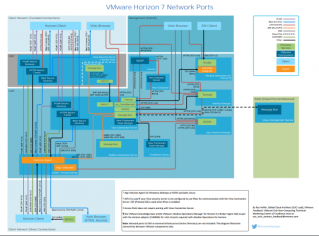
VMware Horizon 7 Enterprise Edition Multi-Site Reference Architecture provides best practices and architectural blueprints for building a deployment to keep businesses operating during an extended or catastrophic technology outage. VMware Horizon 7 Enterprise Edition Multi-Site Reference Architecture shows how to build a resilient environment that is capable of delivering disaster recovery of Horizon 7 workloads. Appendices include detailed information such as test plans for each use case and…Read More


VMware Social Media Advocacy

Prepare the DHCP Server for vSphere Auto Deploy…

Prepare the DHCP Server for vSphere Auto Deploy Provisioning – VMware vSphere 6.5 – via ESX Virtualization

Prepare the DHCP Server for vSphere Auto Deploy…

We have started our Autodeploy posts in a wrong order. (kind of). Basically, we already explained the initial setup of Autodeploy within vSphere (starting services, initial config) Image Builder management (preparation, image cloning, and management of images). We have also written a post about Autodeploy rules which allows you to create and edit rules (within GUI) which then tell how the stateless host will behave upon booting.


VMware Social Media Advocacy

Software Manufacturer Security Reputations – A…

Software Manufacturer Security Reputations – A review of software manufacturer security defects

Software Manufacturer Security Reputations – A…

At the start of the new year, I did some technical housekeeping, starting new notebooks and such. After looking back through my client notes from 2016, I started to become intrigued with the idea of how software companies were viewed, based on perceived product security and reliability, versus the actual software defects recorded in the CVE repository (Common Vulnerabilities and Exposures).


VMware Social Media Advocacy

Log Insight 4.0: New User Alerts Administration

Log Insight 4.0: New User Alerts Administration – via SFlanders.net

Log Insight 4.0: New User Alerts Administration

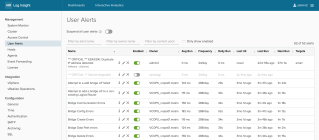
Log Insight takes customer experience seriously. The number two request on the Log Insight community was to improve alerts. I am happy to announce this feature is available in Log Insight 4.0. Read on to learn more!


VMware Social Media Advocacy

vSphere with Operations Management – DRS Dashboard

vSphere with Operations Management – DRS Dashboard

vSphere with Operations Management – DRS Dashboard

vSphere with Operations Management leverages vRealize Operations to better optimize a vSphere environment’s resources and workloads. This video focuses on vR Ops’ new DRS dashboard. This dashboard is available out of the box and can be used to monitor and manage clusters’ DRS configuration and workloads. The video will walk through a high-level overview on DRS followed by going through an example of a host in a cluster being under abnormally high load and how to resolve the issue without ever…Read More


VMware Social Media Advocacy

VMware NSX and SRM: Disaster Recovery Overview…

VMware NSX and SRM: Disaster Recovery Overview and Demo

VMware NSX and SRM: Disaster Recovery Overview…

In this post, I’ll briefly expand on the benefits of utilizing NSX as part of a disaster recovery (DR) solution. For additional information check out my prior multi-site and disaster recovery with NSX posts on the VMware Network Virtualization blog. Additionally, I recently presented at 2016 US VMworld and Europe VMworld on multi-site and disaster recovery solutions and recorded sessions can be viewed here: US VMworld, Europe VMworld.


VMware Social Media Advocacy