Introducing the VMware NSX for vSphere PHP…

Introducing the VMware NSX for vSphere PHP Framework

Introducing the VMware NSX for vSphere PHP…

Over the last few weeks, I have been working on a VMware NSX integration with one of my existing PHP applications. This application is tied into a development process with a new testing schematic which needed to use a the NSX features to test the code inside a tiered network setup. Of course, this needed to be automated and available on demand; enter the NSX API. Using the NSX API, I’ve been able to integrate network deployment and configuration inside the existing application (with not a lot…Read More

VMware Advocacy

vSphere 6.0 Guest OS support matrix

vSphere 6.0 Guest OS support matrix

vSphere 6.0 Guest OS support matrix

I decided that it’s time to share some of my experiences, tips, ideas, etc.. Loading… Friday, January 22, 2016 vSphere 6.0 Guest OS support matrix Have you been considering a migration to VMware vSphere 6.0 ? Well, If you have, don’t forget to check the list of Guest Operation Systems supported by this new version. Why ? Every time a new major upgrade is released the supported Guest OS list is updated to remove the ones not supported anymore, the majority of the cases are about the ones…Read More


VMware Advocacy

Micro-segmentation has become a best practice…

Micro-segmentation has become a best practice approach from a security perspective, but it’s difficult to apply in traditional environments. The inherent security and automation capabilities of the NSX network virtualization platform are now making micro-segmentation operationally feasible in the enterprise data center. Find out more: Data Center Micro-Segmentation – A Software Defined Data Center Approach for a “Zero Trust” Security Strategy. http://vmw.re/1lARzto

Micro-segmentation has become a best practice…


VMware Advocacy

Now Updated: Microsoft Exchange Server on…

Now Updated: Microsoft Exchange Server on VMware vSphere Best Practices Guide

Now Updated: Microsoft Exchange Server on…

Microsoft Exchange Server is one of the mission critical applications most commonly virtualized on the vSphere platform. As customers become more comfortable and familiar with virtualization in general and the VMware vSphere virtualization platform in particular, they become more confident, enough to virtualize their Exchange Server environments. To help customers achieve success as they begin […] The post Now Updated: Microsoft Exchange Server on VMware vSphere Best Practices Guide appeared…Read More


VMware Advocacy

vCenter Server Appliance as syslog target for…

vCenter Server Appliance as syslog target for Horizon View connection servers

vCenter Server Appliance as syslog target for…

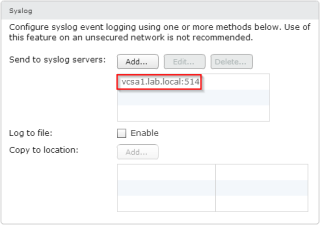
Logging is essential for troubleshooting. VMware Horizon View allows you to configure a SQL database for event logging, and I really recommend to configure the event logging database (I have seen some deployments without).Beside the event logging database, it’s a great idea to configure a secondary log destination. With a event logging database, and logs […] Advertise here with BSA


VMware Advocacy

static routes for VMware ESXi vmkernel ports

static routes for VMware ESXi vmkernel ports

static routes for VMware ESXi vmkernel ports

static routes for VMware ESXi vmkernel portsSometimes it can be tricky to fully access the VMware ESXi server as well as all virtual machine consoles (MKS) as the ESXi has multiple VMkernel ports but can only accept one single default gateway.This is especially the case if your ESXi servers are hosted in a provider environment […] The post static routes for VMware ESXi vmkernel ports appeared first on opvizor.


VMware Advocacy

VMware Converter 6.1 Supports Windows 10 and…

VMware Converter 6.1 Supports Windows 10 and Hyper-V v3 VMs

VMware Converter 6.1 Supports Windows 10 and…

VMware Converter 6.1 Released adds possibility to convert (Powered Off) Hyper-V v3 VMs and also compatibility with Windows 10 OS. This is strange as just few weeks ago I tried to convert my laptop running W10 by using the 6.0 version of VMware converter and did not experienced any issues. VMware converter has many possible […] Read the full post VMware Converter 6.1 Supports Windows 10 and Hyper-V v3 VMs at ESX Virtualization.


VMware Advocacy

vRealize Operations Manager Tech Tips: Tip #2 –…

vRealize Operations Manager Tech Tips: Tip #2 – Customizing Symptoms and Alerts in vRealize Operations

vRealize Operations Manager Tech Tips: Tip #2 –…

I was recently given a use case by a client whowas seeing alert noise from the vR Ops 6.1 alert “One or more virtual machine guest file systems are running out of disk space“. This alert is built fromthree symptoms: “1. Guest file system space usage at warning level” “2. Guest file system space usage […] The post vRealize Operations Manager Tech Tips: Tip #2 – Customizing Symptoms and Alerts in vRealize Operations appeared first on VMware Cloud Management.


VMware Advocacy

Dashboards and Reports in vRealize Operations…

Dashboards and Reports in vRealize Operations Manager 6.1

Dashboards and Reports in vRealize Operations…

By Troy Bailey, Blue Medora Dashboards are the primary visualization tool for users of VMware vRealize Operations Manager (vROps). This tool provides graphic representation of vROps data and displays overall infrastructure health. Reports are another great way for vROps consumers to use and leverage data collected from vSphere and third-party management packs. The data in […] The post Dashboards and Reports in vRealize Operations Manager 6.1 appeared first on VMware Cloud Management.


VMware Advocacy

The vSphere Client could not connect to…

The vSphere Client could not connect to “vcenter server name”. Connecting to Virtual Center server is not supported by this client. You can use it to connect only to ESX server. in vSphere 6

The vSphere Client could not connect to…

HomeDemoLinksDisclaimerElearningvSphere5.5 FAQsQ & AAboutWalkthroughsPostersFlingsH-O-LYouTubeChannel


VMware Advocacy

VMware Hands-on Labs Releases and Naming

VMware Hands-on Labs Releases and Naming

VMware Hands-on Labs Releases and Naming

Hello and welcome to 2016!We have seen quite a few questions from people having trouble findingour older labs, so I wanted to take a few minutes and explain the VMware Hands-on Labs release and naming conventions. Our major release of labs occurs annually at the VMworld conferences, but, depending on product release schedules and resource […] The post VMware Hands-on Labs Releases and Naming appeared first on VMware Hands-On Lab (HOL) Blog.


VMware Advocacy

Remap Dedicated Desktops

Remap Dedicated Desktops

Remap Dedicated Desktops

One of my customers needed to do a complicated migration recently. They wanted to move their View + Unidesk VDI environment from vCenter 5.1 on Windows to the vCenter Server Appliance running vCenter 6. We moved the ESXi hosts and used them to carry the desktops over, just like we do with servers in this sort of situation, but the View stuff added to the complexity. On the Unidesk side, there’s a nice KB article that we followed, but there isn’t such guidance for View. You may not have…Read More


VMware Advocacy

OS X 10.11.3 is GA

OS X 10.11.3 is GA

OS X 10.11.3 is GA

Hello all, This dropped today, and it is very minor. There are two URL’s associated with this release. https://support.apple.com/en-ca/HT205356 which didn’t’ resolve at first but does now. Not much info though! https://support.apple.com/en-ca/HT201222 which doesn’t have any info that applies. As … Read more ›


VMware Advocacy

VMware vSphere API Object Model

VMware vSphere API Object Model

VMware vSphere API Object Model

Schema of the VMware vSphere API Object Model…generated partially with PowerCLI. VMware vSphere API Object Model This diagram was initially created by Steve Jin, and has then been updated by William Lam. It is now updated for the version 6.0 with 122 managed objects in total. For more details please refer to the above two […] The post VMware vSphere API Object Model appeared first on The Crazy Consultant.


VMware Advocacy

Importing VM annotation (Attributes) and notes…

Importing VM annotation (Attributes) and notes from CSV file into vCenter – Powercli

Importing VM annotation (Attributes) and notes…

Disclaimer: All the steps and scripts shown in my posts are tested on my HomeLab first. Wednesday, January 20, 2016 As in the earlier blog after exporting VM annotations, notes and other useful information to CSV/excel file, It was time to Import those information on new vCenter, This new vCenter has new Esxi Server connected from old vCenter, and when I check Virtual Machine tab at the right side on the esxi, I don’t see any Information which I had present from old vCenter. I created VM…Read More


VMware Advocacy

Exporting virtual machine annotation…

Exporting virtual machine annotation (Attributes) and notes to CSV file – Powercli

Exporting virtual machine annotation…

Disclaimer: All the steps and scripts shown in my posts are tested on my HomeLab first. Monday, January 18, 2016 As I wanted to retain all the configuration and Information about VMs from previous vCenter and apply the same information on another vCenter (I was doing some Esxi migration to another vCenter and earlier I had written 2 script to Get Virtual machine folder Path from and VMs and Templates and Move them to the exact same folder hierarchy on another vcenter), For small projects…Read More


VMware Advocacy

Host disconnected from vCenter and VMs showing…

Host disconnected from vCenter and VMs showing as inaccessible

Host disconnected from vCenter and VMs showing…

Another deep-dive troubleshooting blog today from Nathan Small (twitter account: @vSphereStorage) Customer problem description: Host is getting disconnected from vCenter and VMs are showing as inaccessible. Only one host is affected. Analysis: A quick review of the vmkernel log shows a log spew of H:0x7 errors to numerous LUNs. Here is a short snippet where […] The post Host disconnected from vCenter and VMs showing as inaccessible appeared first on Support Insider.


VMware Advocacy

Bringing New Meaning to “Mission-Critical” –…

Bringing New Meaning to “Mission-Critical” – Powered by VMware Horizon and NVIDIA GRID https://t.co/LsuiaY8N0K

Bringing New Meaning to “Mission-Critical” –…

Bringing New Meaning to “Mission-Critical” – Powered by VMware Horizon and NVIDIA GRID https://t.co/LsuiaY8N0K


VMware Advocacy